






What is Meta Package Manager?
snapshots every package on your machine to one file, and restores it on a new one
provides the
mpmCLI, a wrapper around all package managersmpmis likeyt-dlp, but for package managers instead of videosmpmsolves XKCD #1654 - Universal Install Script
Features
Snapshot installed packages to a TOML manifest or a Brewfile, across every manager at once, with
mpm dump packages.toml: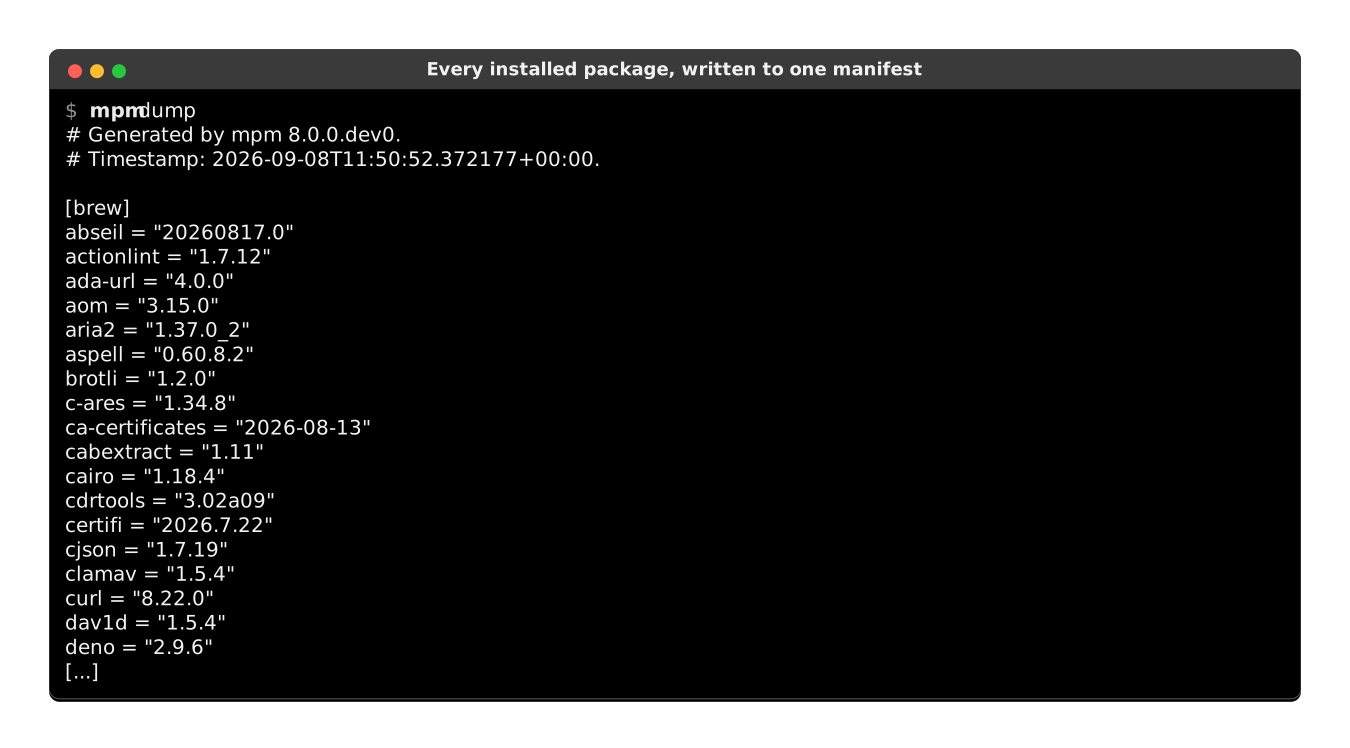
Restore that manifest on the next machine with
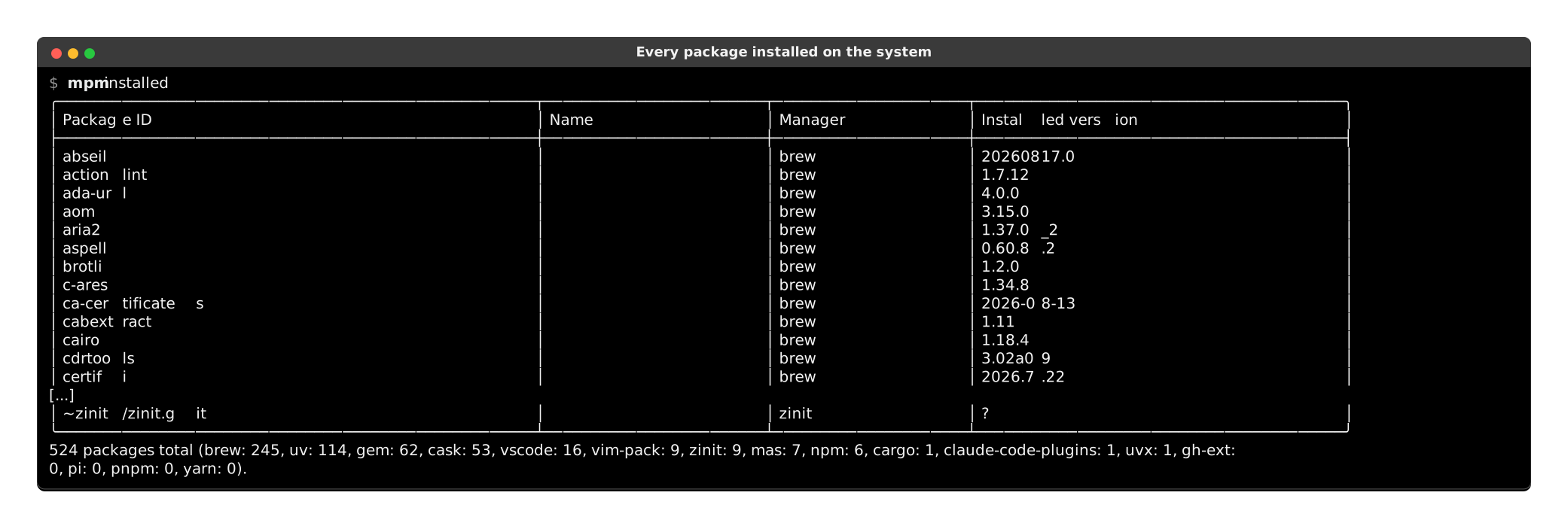
mpm restore packages.toml, and get the same set of packages back.Inventory and list all package managers available on the system:
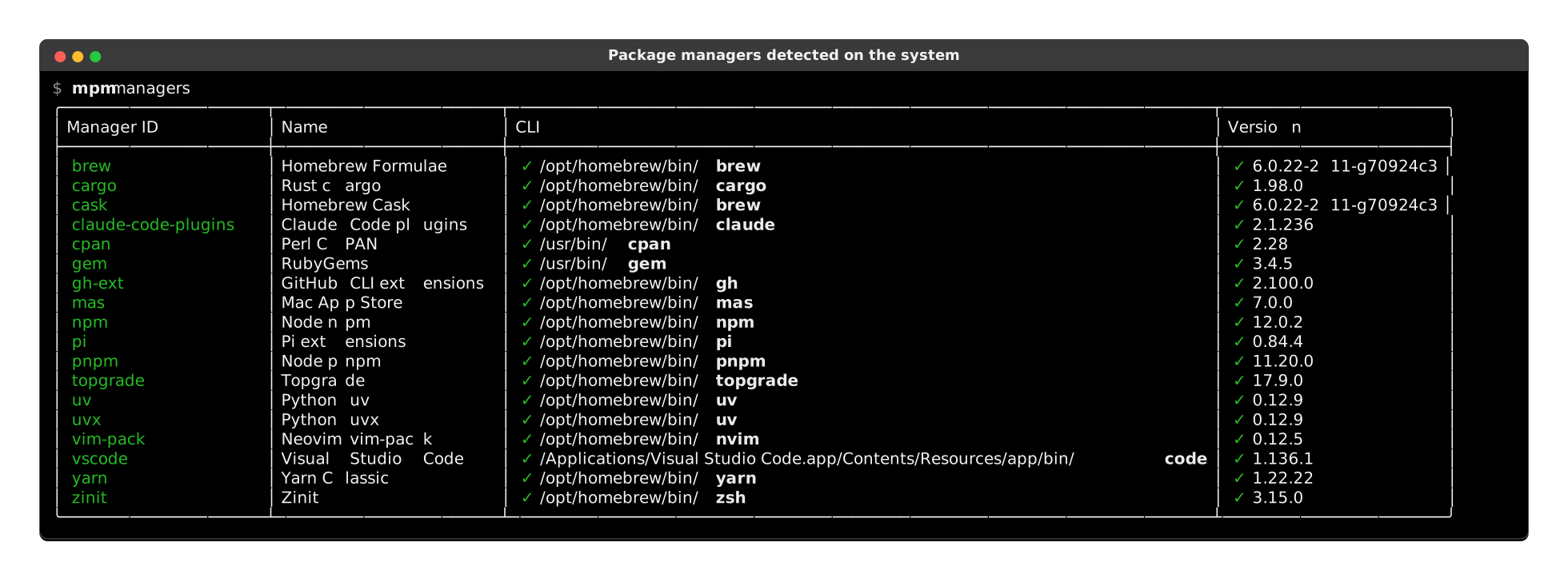
Runs on macOS, Linux, Windows, FreeBSD, NetBSD, OpenBSD, illumos and Solaris, with standalone executables for the first three.
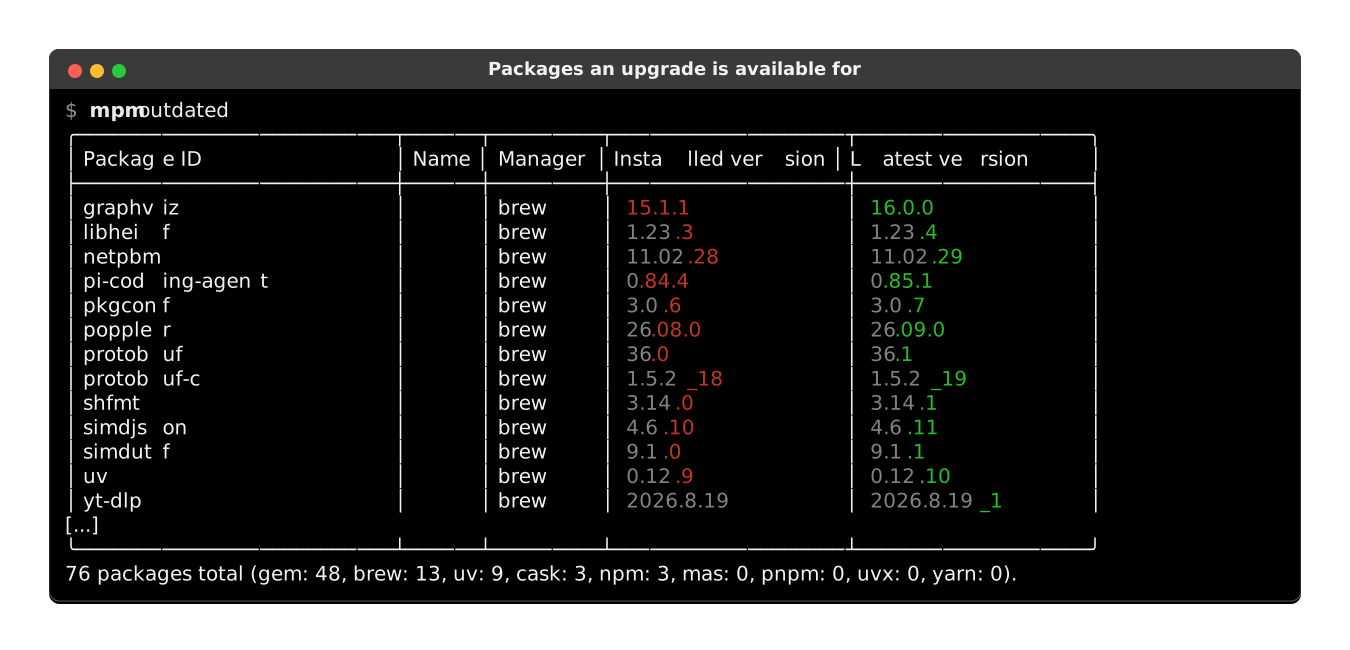
List outdated packages, with the differing part of each version picked out in color, so a patch bump reads apart from a major one at a glance:
Upgrade all outdated packages from every manager at once, the primary use case of
mpmand the main reason I built it, since 70% of vulnerabilities lie in outdated libraries. A manager that fails is marked✘and named in a closing summary, while the others carry on: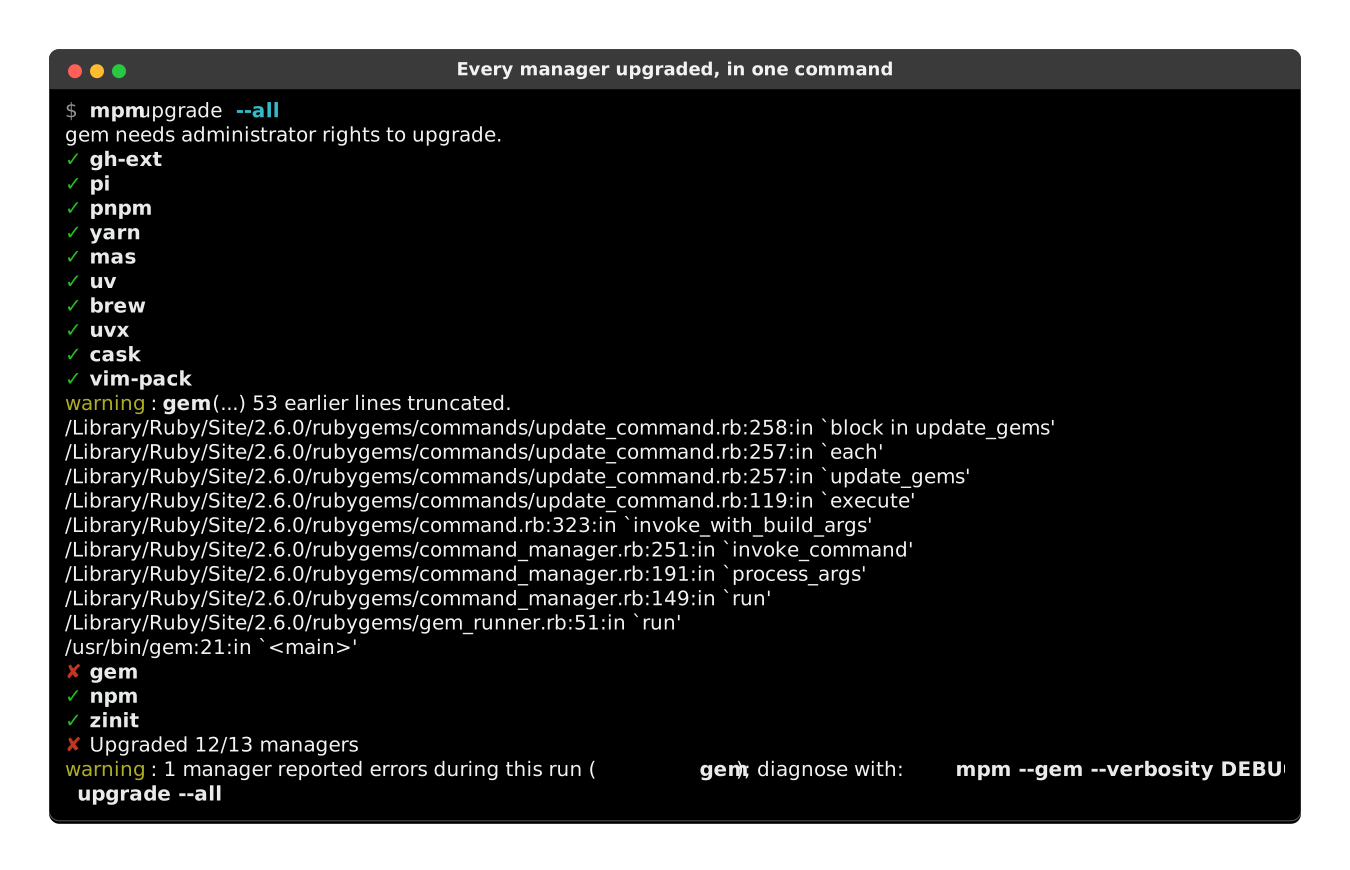
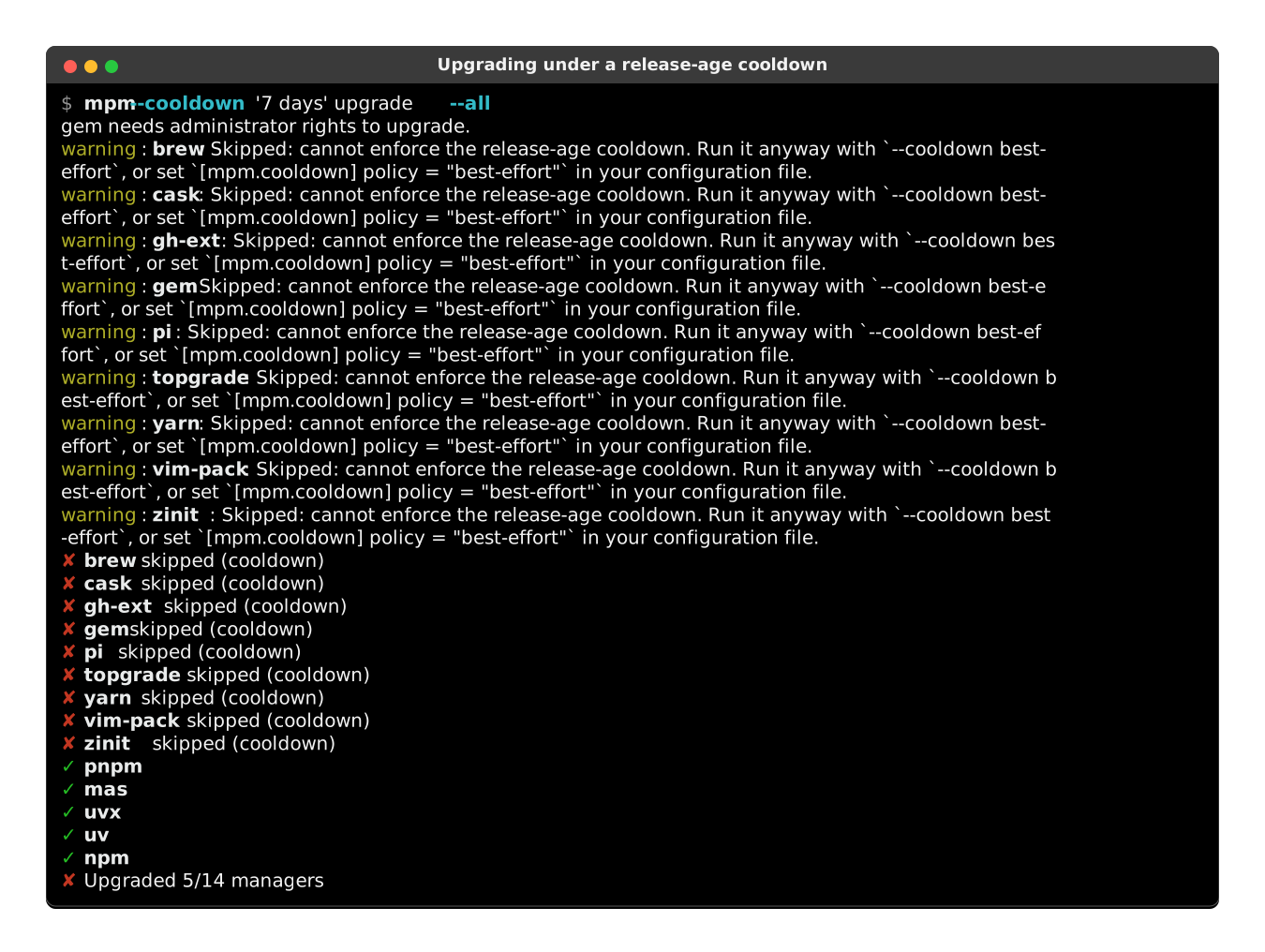
Mitigate supply-chain attacks with a release-age cooldown that refuses any version published more recently than a threshold. A manager that cannot enforce the window is skipped, rather than run unguarded:
Software Bill of Materials: export installed packages to SPDX and CycloneDX SBOM files.
Pin-point commands to a subset of package managers (include/exclude selectors).
Support plain, versioned and purl package specifiers.
Export output to JSON or user-friendly tables.
Shell auto-completion for Bash, Zsh and Fish.
A SwiftBar/Xbar plugin in the macOS menu bar, and a GNOME Shell extension on Linux: both list the outdated packages of every manager on the system, and upgrade them from the menu.
Because
mpmtries to wrap all other package managers, it became another pathological case of XKCD #927: Standards
Supported package managers
One CLI to rule them all.
mpm runs them concurrently unless they share the same backend.
am · antidote · antigen · apk · apm · apt · apt-cyg · apt-mint · aptitude · asdf · aura · basalt · bin · bob · bpkg · brew · bun · cargo · cask · cave · choco · choosenim · chromebrew · claude-code-plugins · clib · composer · conda · cpan · deb-get · dkp-pacman · dnf · dnf5 · dotnet · elan · emacs · emerge · eopkg · fink · fisher · flatpak · fwupd · gcloud · gem · getnf · gext · gh-ext · ghcup · go · guix · gup · haxelib · hyprpm · ips · jpm · julia · juliaup · krew · lazy · luarocks · lure · macports · mamba · mas · mason · micro · microdnf · micromamba · miktex · mise · nala · nimble · nix · npm · oh-my-fish · ollama · opam · opkg · pacaur · pacman · pacstall · pamac · paru · pear · pearl · pi · pikaur · pip · pipx · pipxu · pixi · pkcon · pkg · pkg-tools · pkgin · pkgit · pkgm · platformio-core · pnpm · ports · prt-get · pwsh-gallery · pyenv · raco · roswell · rustup · scoop · sdkman · sfsu · sheldon · shelly · skills · slapt-get · snap · soar · sorcery · spack · steamcmd · stew · sun-tools · swupd · tazpkg · tlmgr · topgrade · trizen · urpmi · uv · uvx · vagrant · vcpkg · vim-pack · volta · vscode · vscodium · winget · xbps · xcodes · yarn · yarn-berry · yay · yazi · yum · zef · zerobrew · zeroinstall · zim · zinit · zplug · zvm · zypper
mpm also reuses topgrade when present on the system to extend its mpm upgrade --all operation to extra runtimes, shell plugins and OS updaters. Other unsupported managers are catalogued in the docs.
Installation
All installation methods are available in the documentation.
uv
mpm is distributed on PyPI, so uv installs it on Linux, macOS and Windows alike:
$ uv tool install meta-package-manager
To try mpm without installing anything, run uvx meta-package-manager instead.
Homebrew
mpm is part of the official Homebrew default tap, bottled for macOS and Linux, so you can install it with:
$ brew install meta-package-manager
MacPorts
mpm is also available on MacPorts:
$ sudo port install meta-package-manager
Scoop
mpm is available in the main repository of Scoop, so on Windows you just need to:
> scoop install main/meta-package-manager
Executables
Standalone binaries of mpm latest version are available as direct downloads for several platforms and architectures:
Platform |
|
|
|---|---|---|
Linux |
||
macOS |
||
Windows |
No need to install Python or uv. Useful for CI/CD pipelines running on minimal images, or old platforms where dependency management is painful.
Used in
Check these projects to get real-life examples of mpm usage:
Dotfiles - macOS dotfiles for Python developers, using
mpmto manage system packages.
Feel free to send a PR to add your project in this list if you are relying on mpm in any way.
Usage
Other subcommands and options are documented in:
the manager augmentations where you’ll find inspiration on how to leverage
mpmpower