SwiftBar & Xbar plugin
The Meta Package Manager project is actively maintaining a plugin that is both compatible with SwiftBar and Xbar.
The plugin is written in Python and is a small wrapper around the mpm CLI: the menu it puts in the macOS menu bar lists the outdated packages mpm outdated reports across every package manager on the system, and upgrades them one by one or per manager. mpm 5.0.0 or newer is required, and is installed separately: see Installation.
Each outdated package carries its version diff colored with the same convention as mpm outdated: unchanged prefix in gray, installed-version suffix in red, latest-version suffix in green. SwiftBar renders the colors natively (package lines carry the ansi=true parameter); Xbar strips the color codes and shows plain text. On the translucent menus of recent macOS releases the suffixes adapt to the menu appearance, since the default system colors lose contrast against the material: a light menu darkens both suffixes, and a dark menu brightens the green.
Hint
I recommend SwiftBar, because Xbar has 2 outstanding issues:
Important
SwiftBar 2.1.0 or newer is required: older releases mangle the variable defaults carrying an = sign (swiftbar/SwiftBar#445). The plugin detects the host version and renders an error instead of its menu below that threshold. Xbar exposes no version to its plugins, so it is not checked.
Configuration
The plugin is configurable with these environment variables:
Variable name |
Description |
Type |
Defaults |
SwiftBar support |
Xbar support |
|---|---|---|---|---|---|
|
Group each manager’s packages into a section of its own. |
Boolean |
|
✅ |
✅ |
|
Centers versions around the arrow and aligns names in a monospaced font. |
Boolean |
|
✅ |
✅ |
|
Widest a version renders in a menu line, in characters. |
Number |
|
✅ |
✅ |
|
Extra options for every |
String |
Empty |
✅ |
✅ |
|
Font parameters for regular text. |
String |
Empty |
✅ |
|
|
Font parameters for monospace text. Used for table rendering and error messages. |
String |
|
✅ |
|
|
Keep the menu bar icon while nothing is outdated and no manager errored. |
Boolean |
|
✅ |
❌ |
Note
SwiftBar renders two things differently from Xbar: the outdated count sits in a native badge on each manager header rather than in its label, and the grouped layout folds every section into an inline accordion (swiftbar/SwiftBar#480) that expands in place without dismissing the menu. Both are visible in the screenshots below, where the count on each accordion header sits right of its badge’s center (swiftbar/SwiftBar#557).
These variables drive the menu layout and the options passed to mpm: everything else comes from mpm’s own configuration file, which applies to every run the plugin triggers. See Configuration for the search paths and the full schema.
SwiftBar exposes them in its preferences, under Code Plugins, in a pane that cannot be resized and opens on the plugin’s metadata (swiftbar/SwiftBar#555).
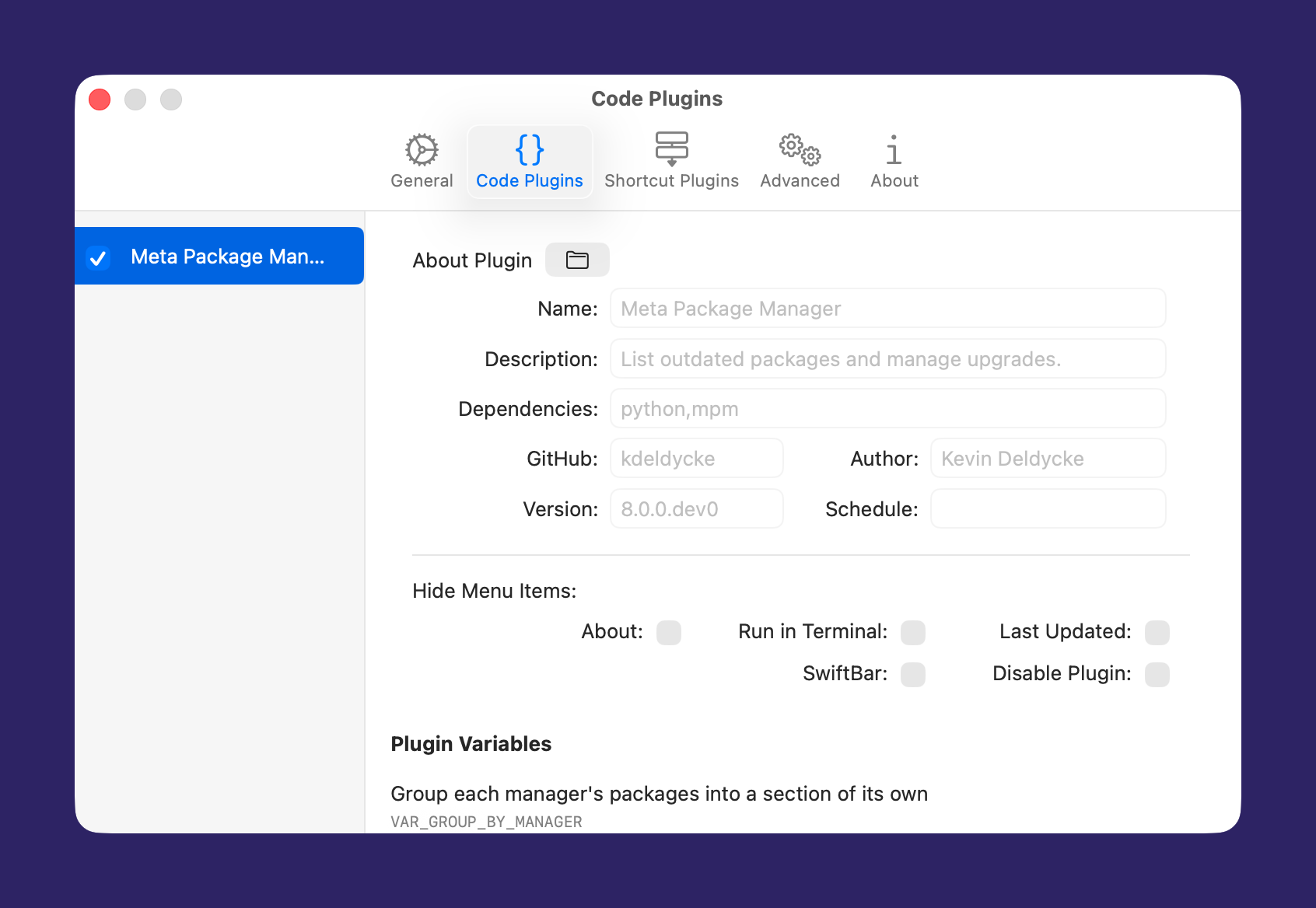

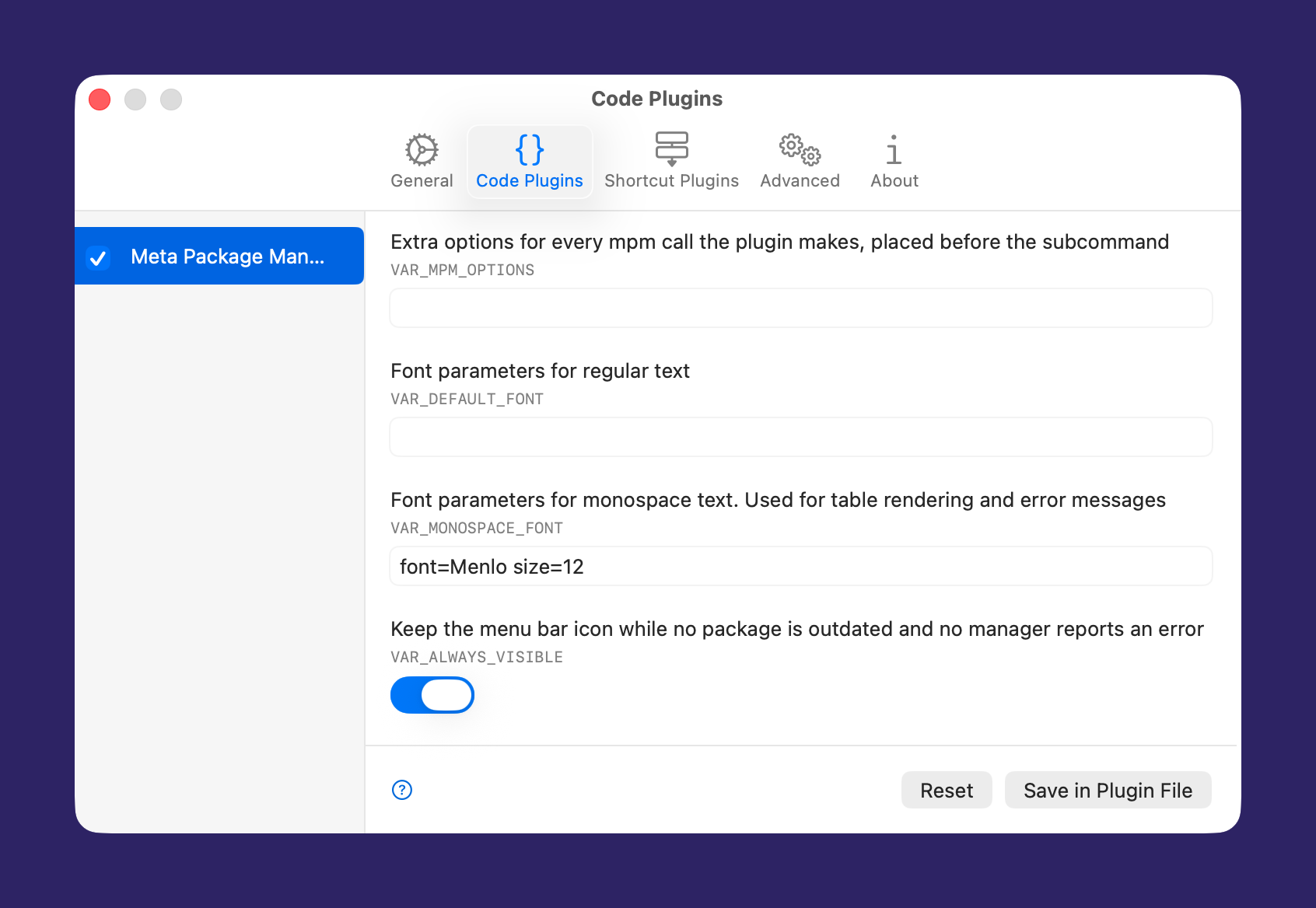

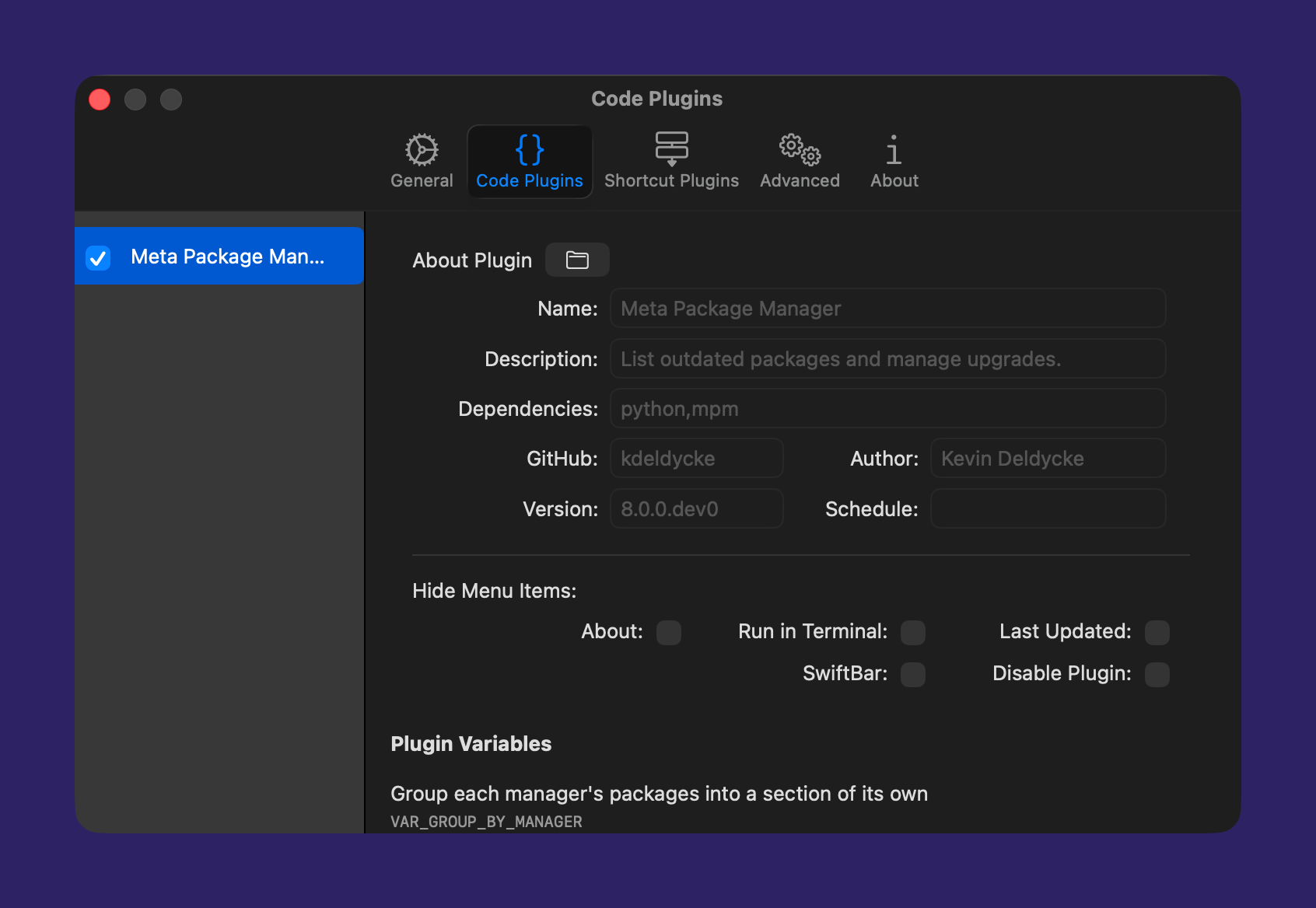

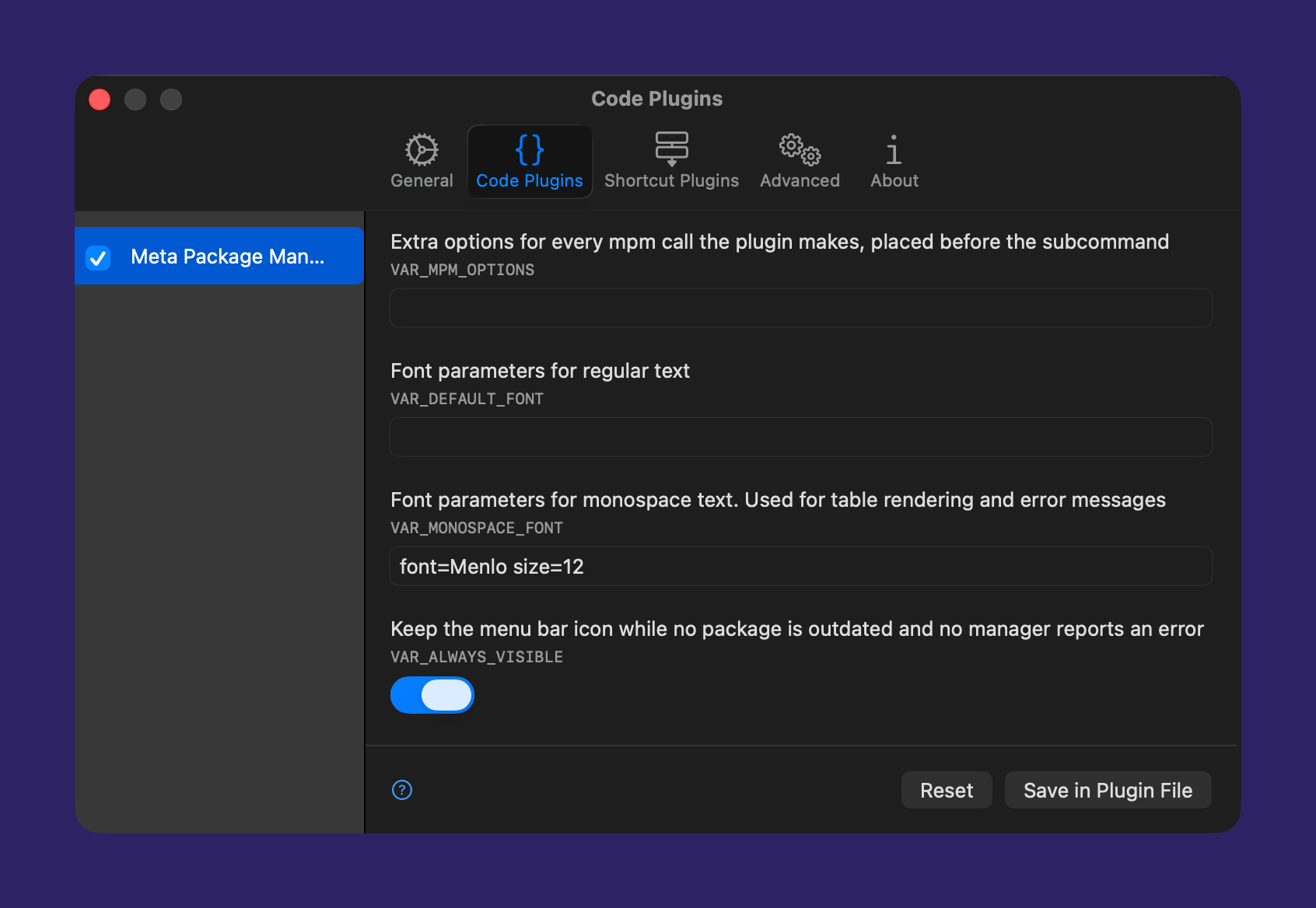

A macOS menu cannot scroll sideways, so VAR_MAX_VERSION_WIDTH keeps a row from outgrowing it. A version longer than the cap is shortened with an …, always on the side the two versions have in common, so the characters telling them apart stay on screen. SwiftBar carries the untruncated pair in the item tooltip. Homebrew casks are what makes this necessary: their version,revision pairs run to 50 characters, against 17 for the longest version anyone reads. Set the variable to 0 to render every version whole.
VAR_MPM_OPTIONS goes after the plugin’s own options, so an option set twice takes the value given here. That includes --verbosity, which the plugin sets to CRITICAL to list the outdated packages. A raised level never hides that list: only the exit code of mpm marks a refresh as failed. A successful refresh drops its log, and a failed one shows it with the error. An upgrade opened in a terminal shows its log there.
Screenshots
Each layout is captured in both system appearances, and the tabs are synchronized so switching one switches the others.
The menu chrome is the host’s, and only the version diff is the plugin’s: its colors have to stay legible on either appearance, which is what the palette of menu_diff_colors() is picked for.
SwiftBar
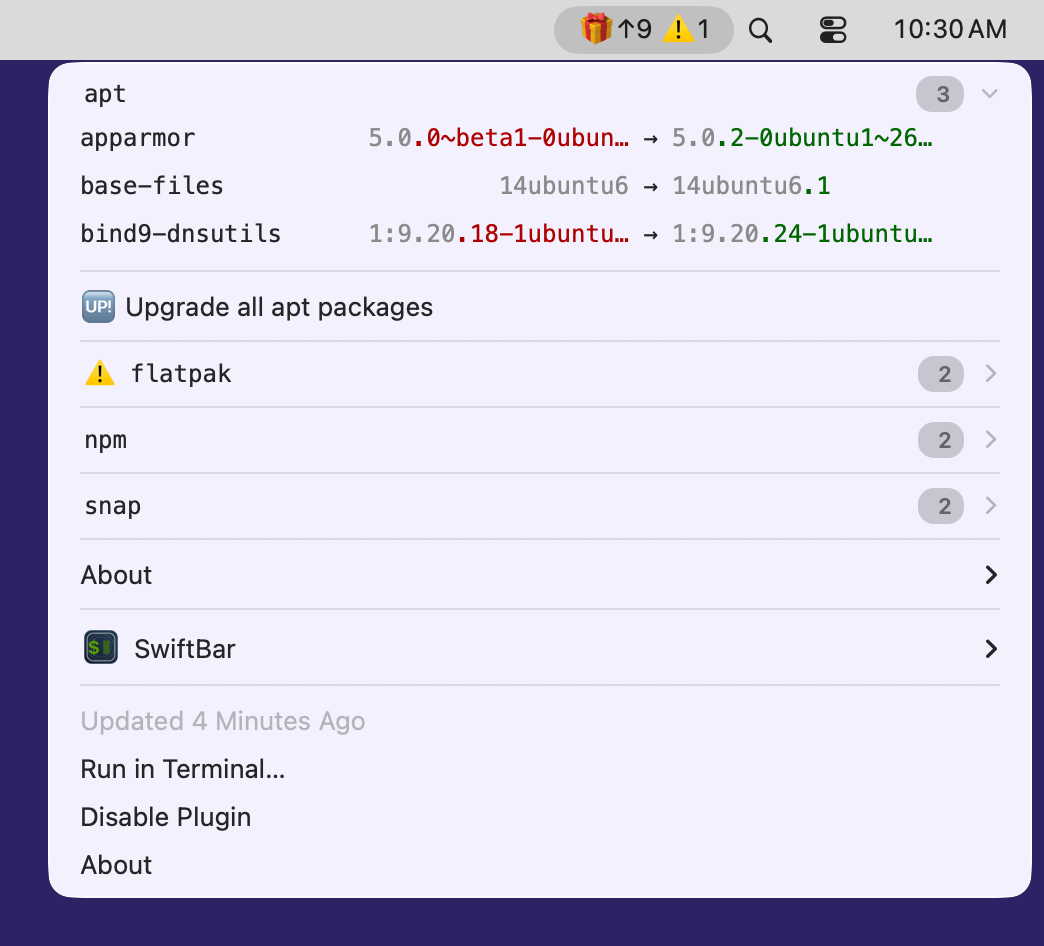
VAR_GROUP_BY_MANAGER = TrueVAR_ALIGN_COLUMNS = True(default)

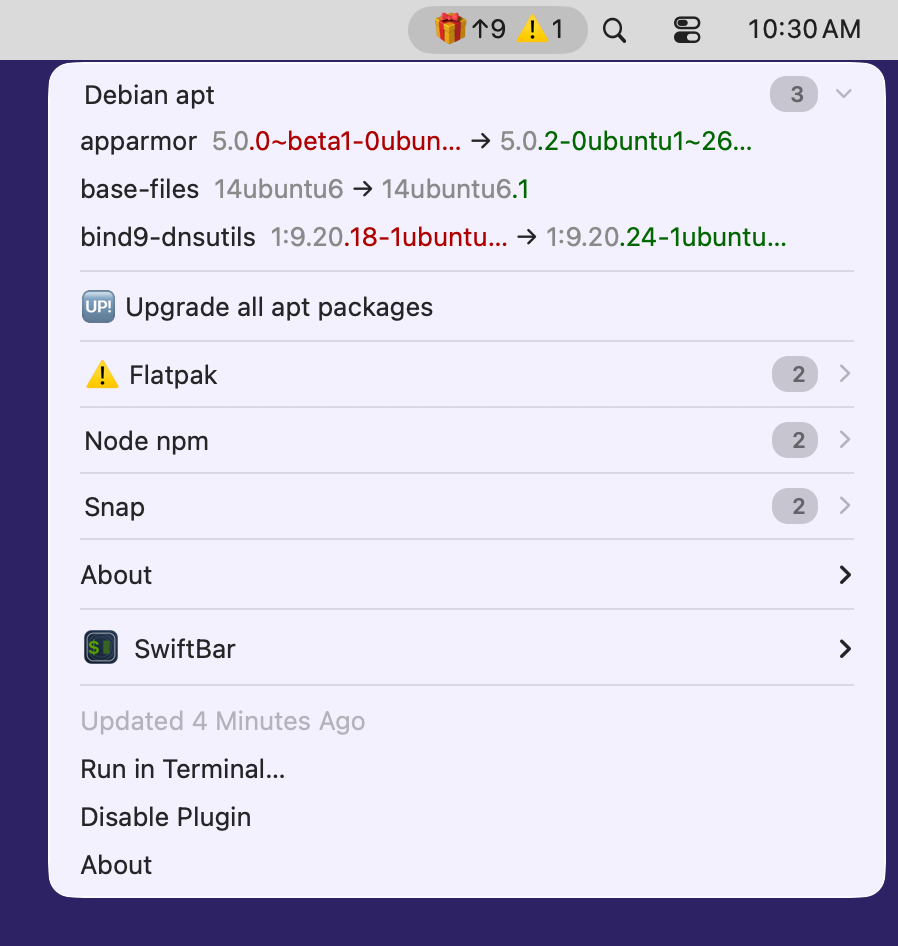
VAR_GROUP_BY_MANAGER = TrueVAR_ALIGN_COLUMNS = False
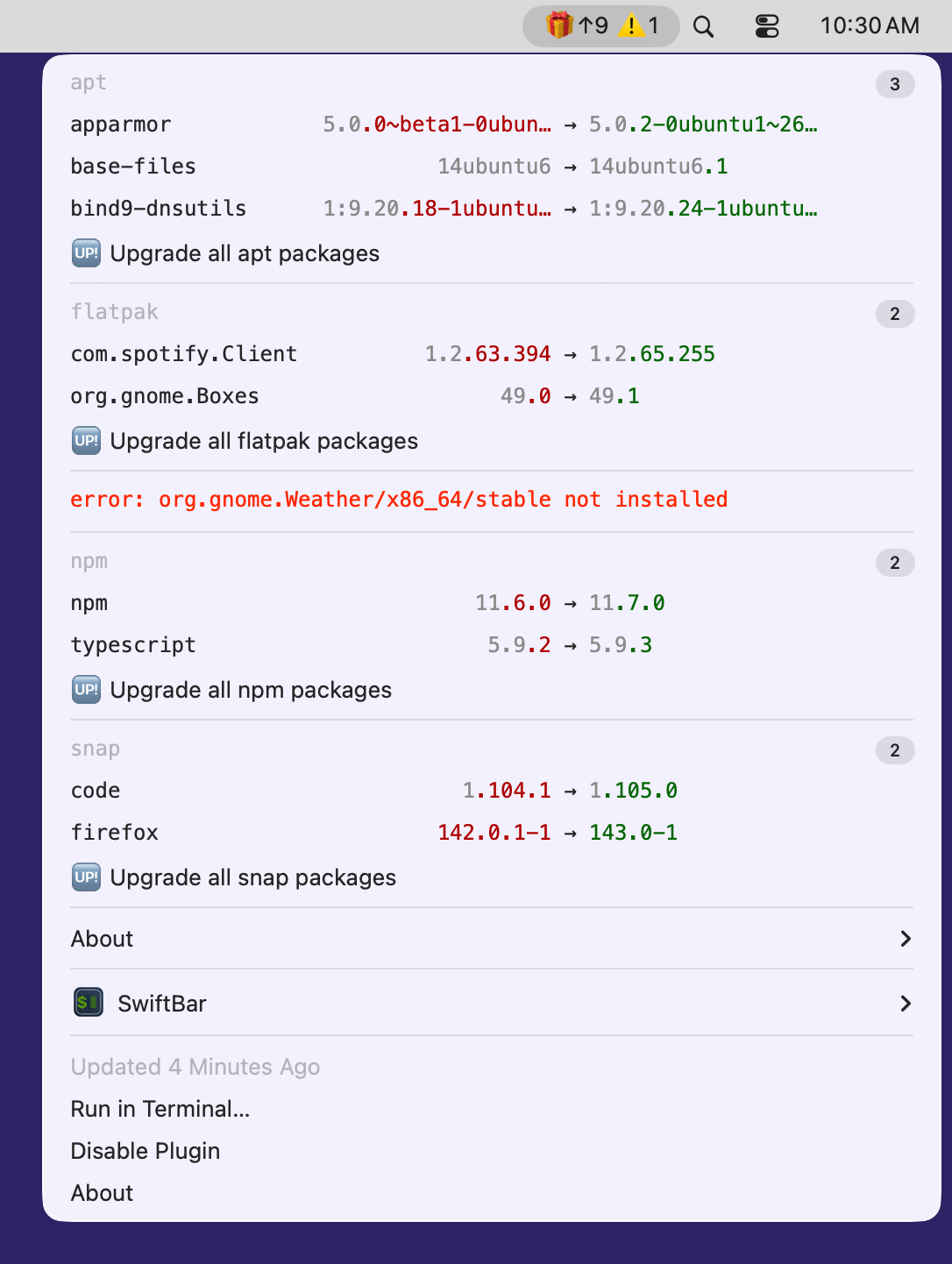
VAR_GROUP_BY_MANAGER = FalseVAR_ALIGN_COLUMNS = True
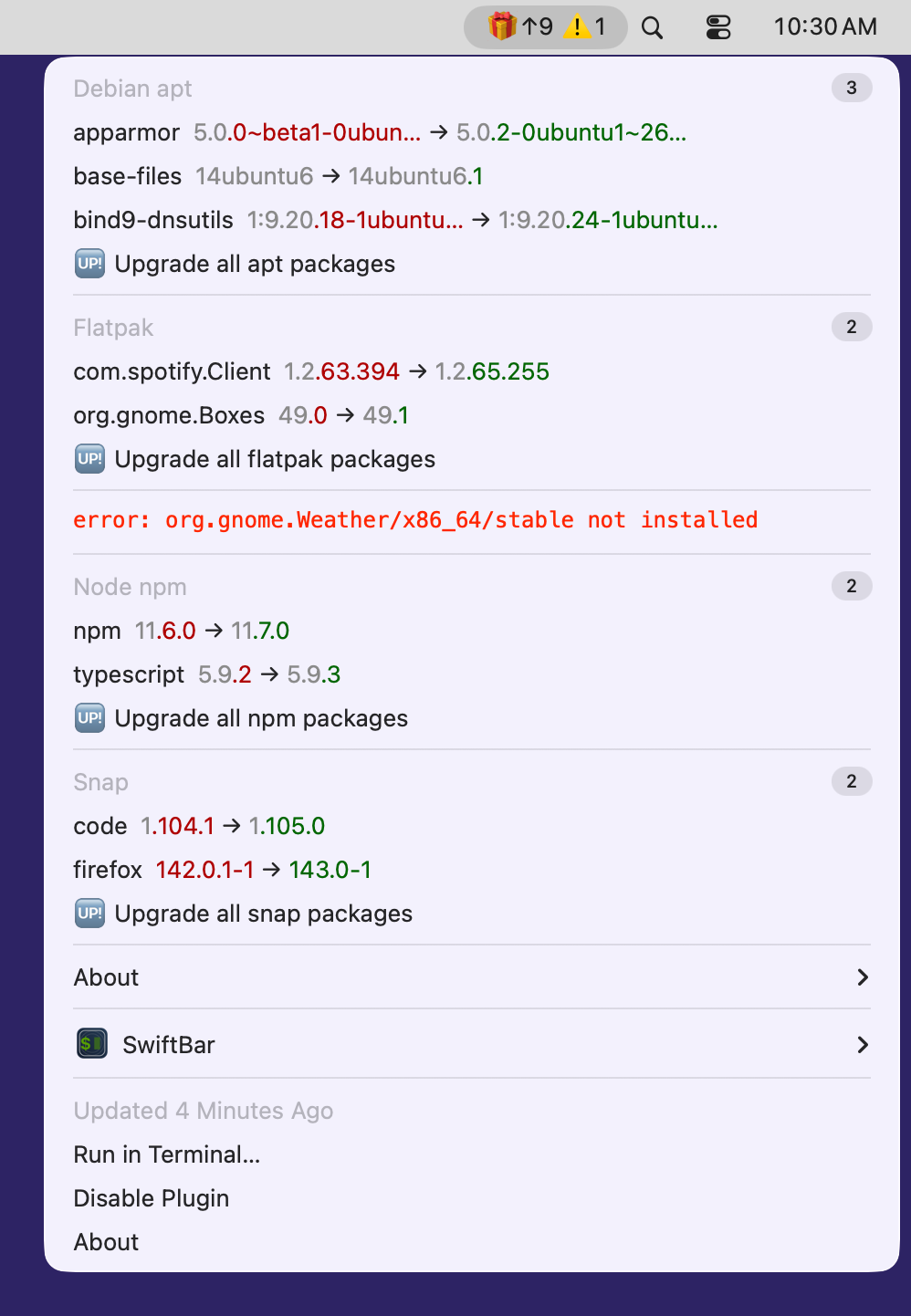
VAR_GROUP_BY_MANAGER = FalseVAR_ALIGN_COLUMNS = False
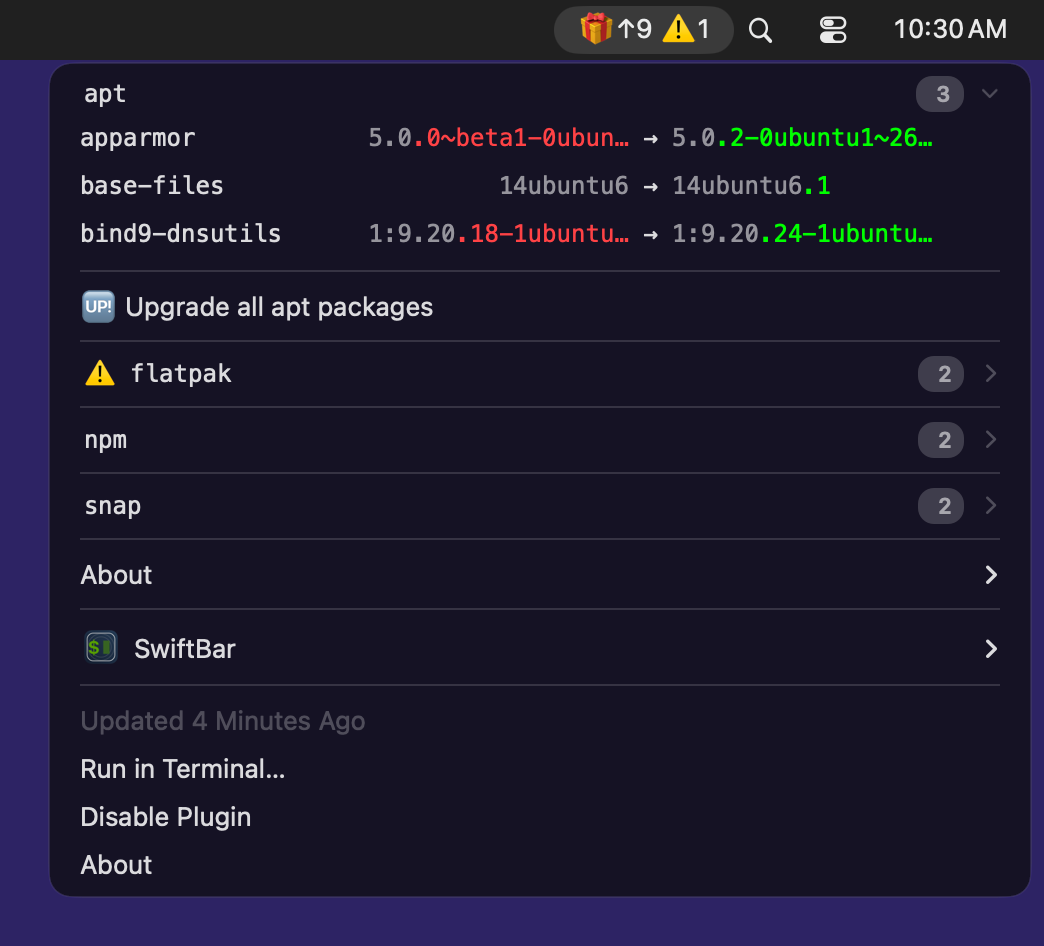
VAR_GROUP_BY_MANAGER = TrueVAR_ALIGN_COLUMNS = True(default)

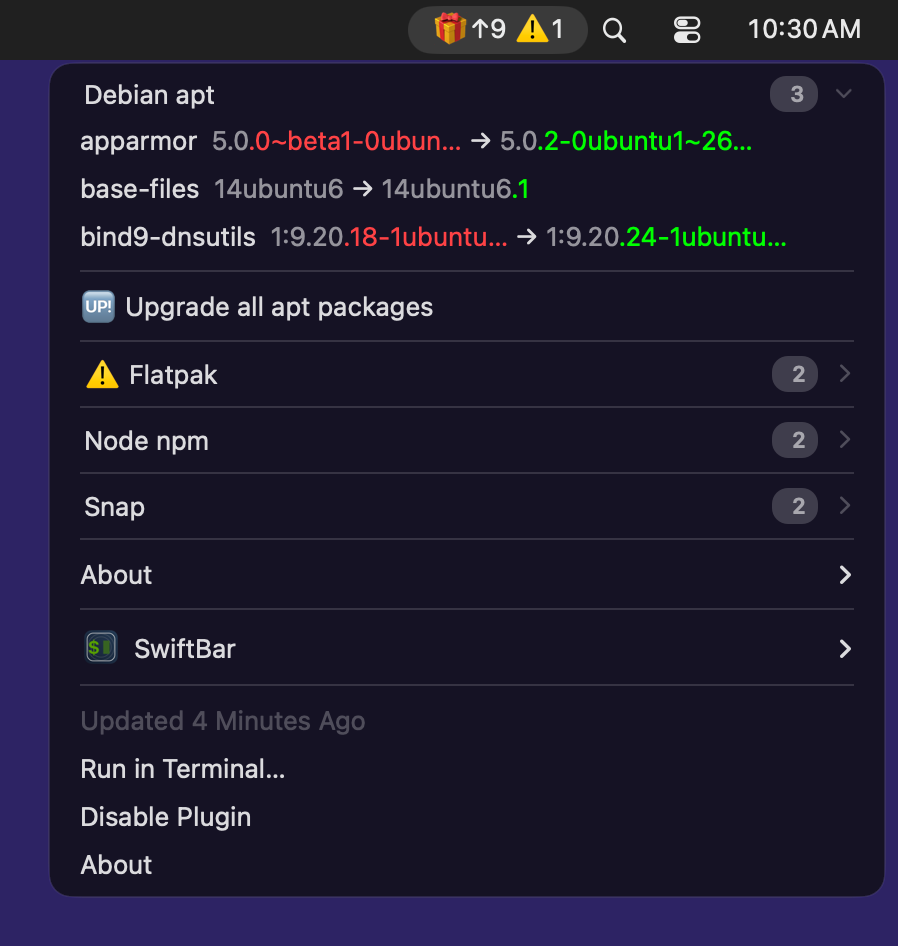
VAR_GROUP_BY_MANAGER = TrueVAR_ALIGN_COLUMNS = False
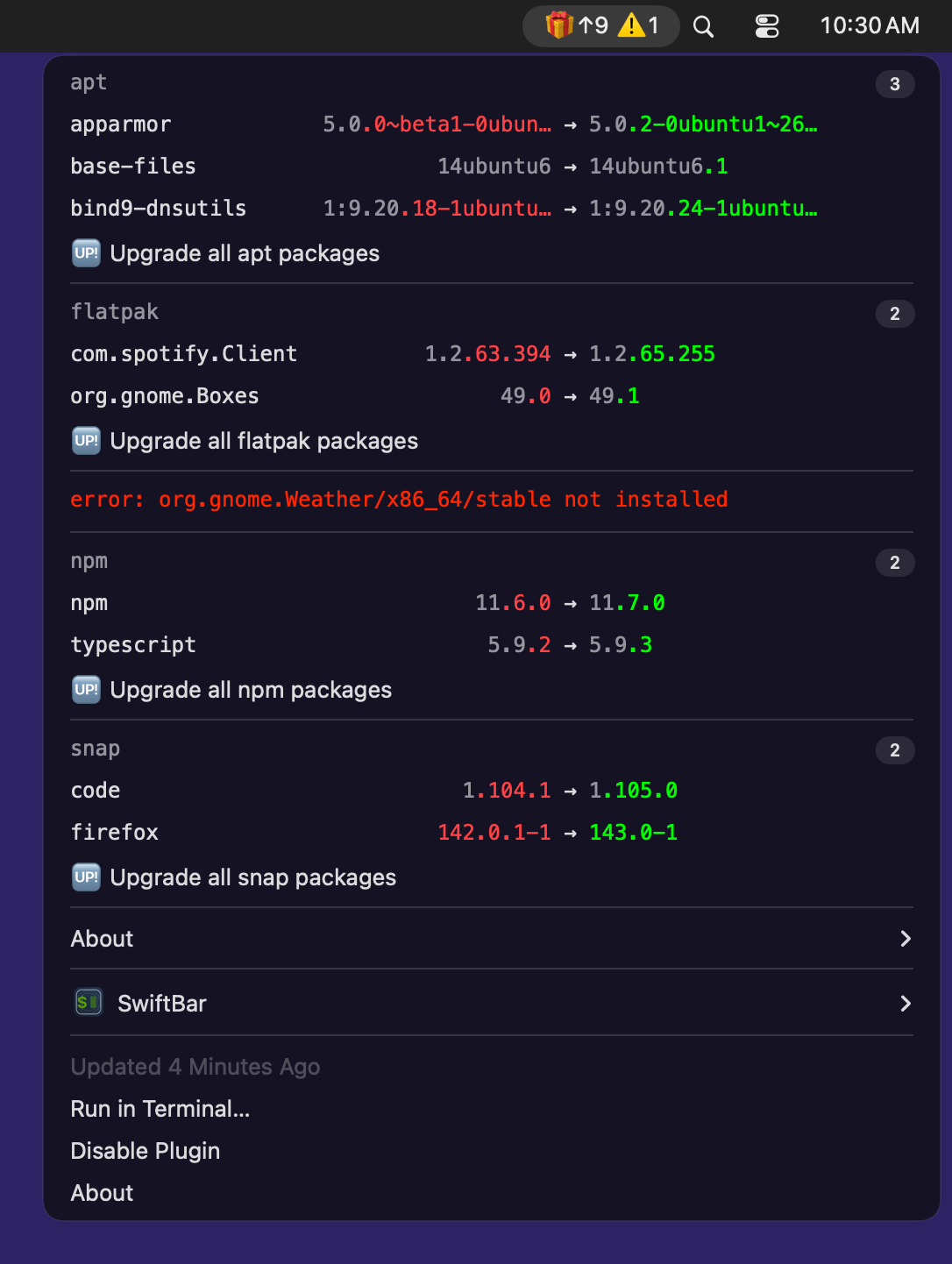
VAR_GROUP_BY_MANAGER = FalseVAR_ALIGN_COLUMNS = True
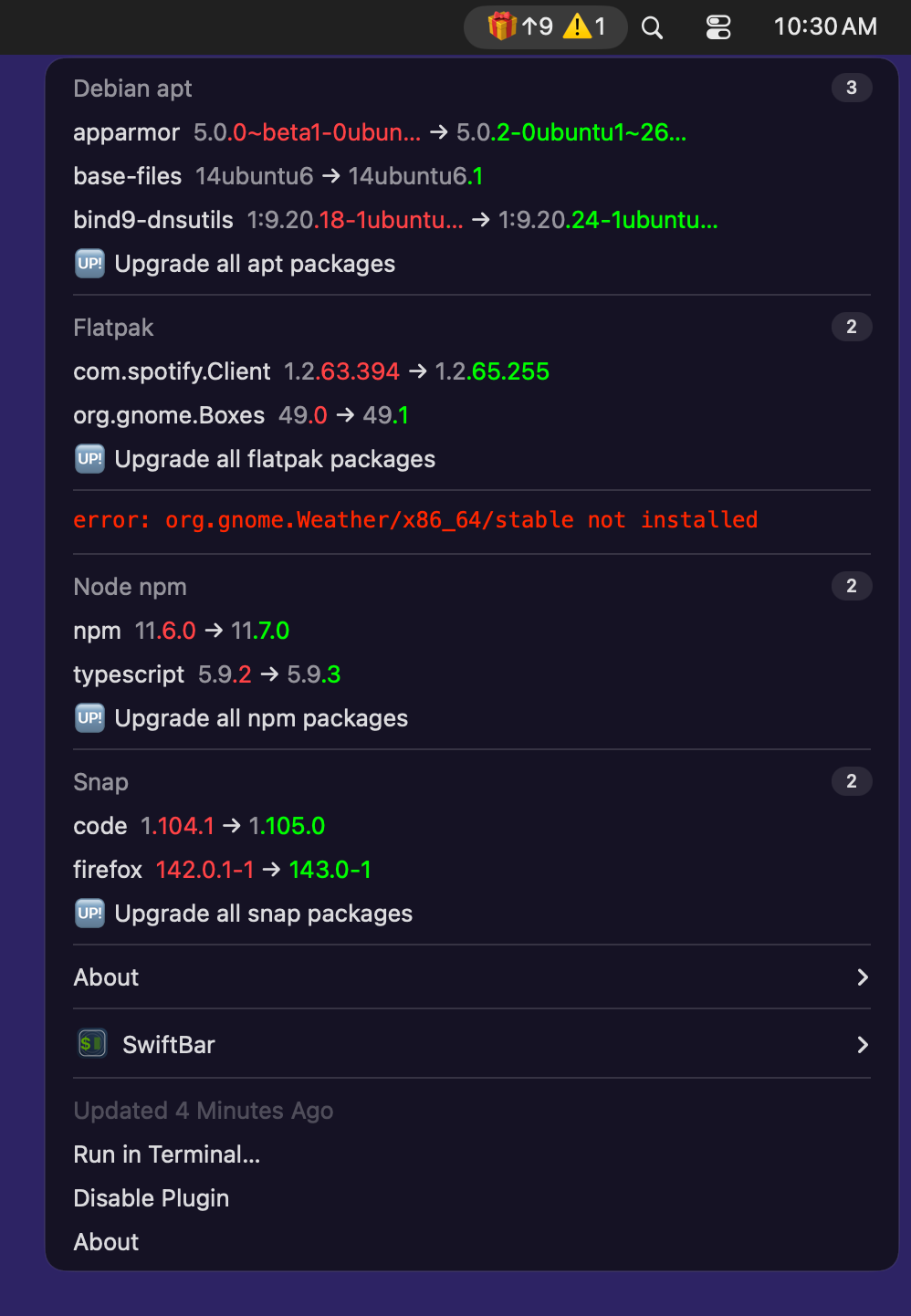
VAR_GROUP_BY_MANAGER = FalseVAR_ALIGN_COLUMNS = False
Xbar
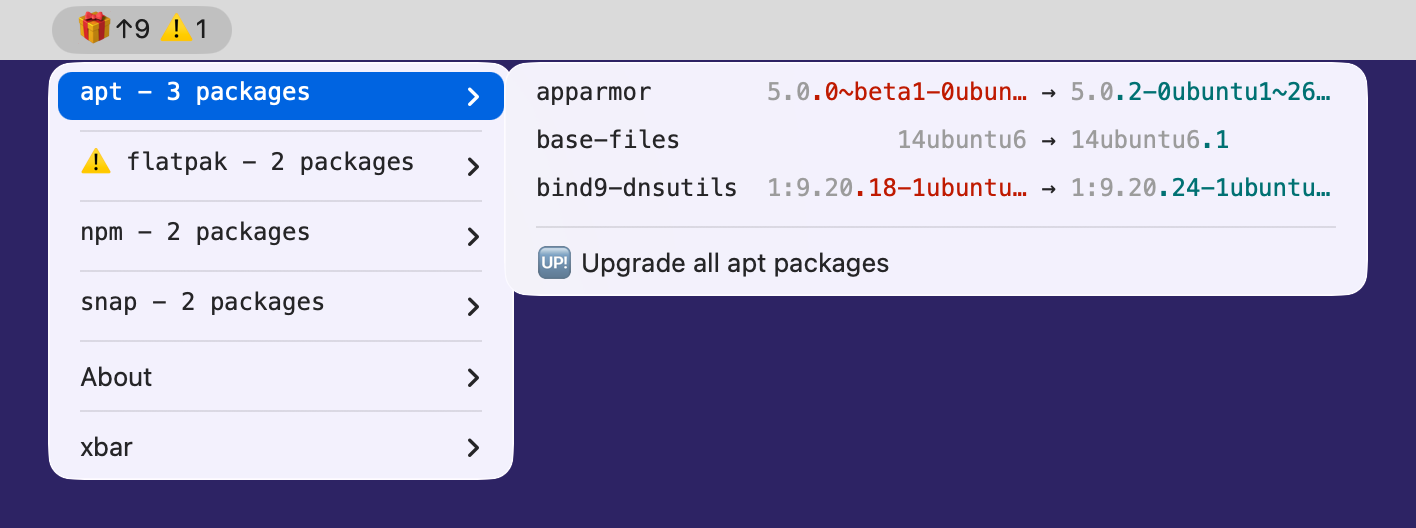
VAR_GROUP_BY_MANAGER = TrueVAR_ALIGN_COLUMNS = True(default)

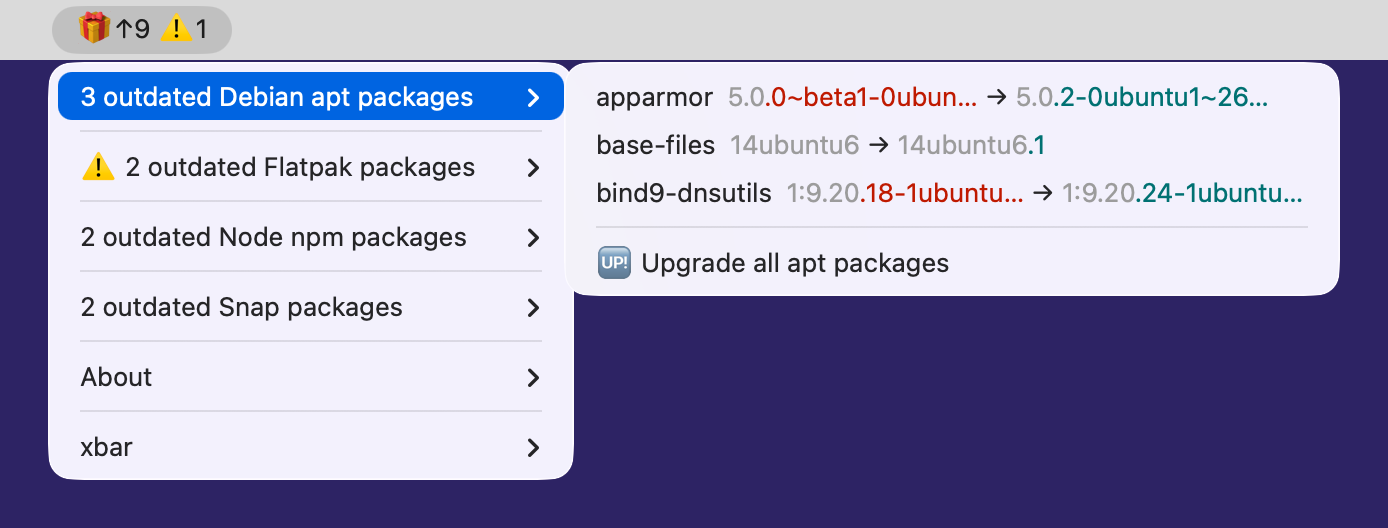
VAR_GROUP_BY_MANAGER = TrueVAR_ALIGN_COLUMNS = False
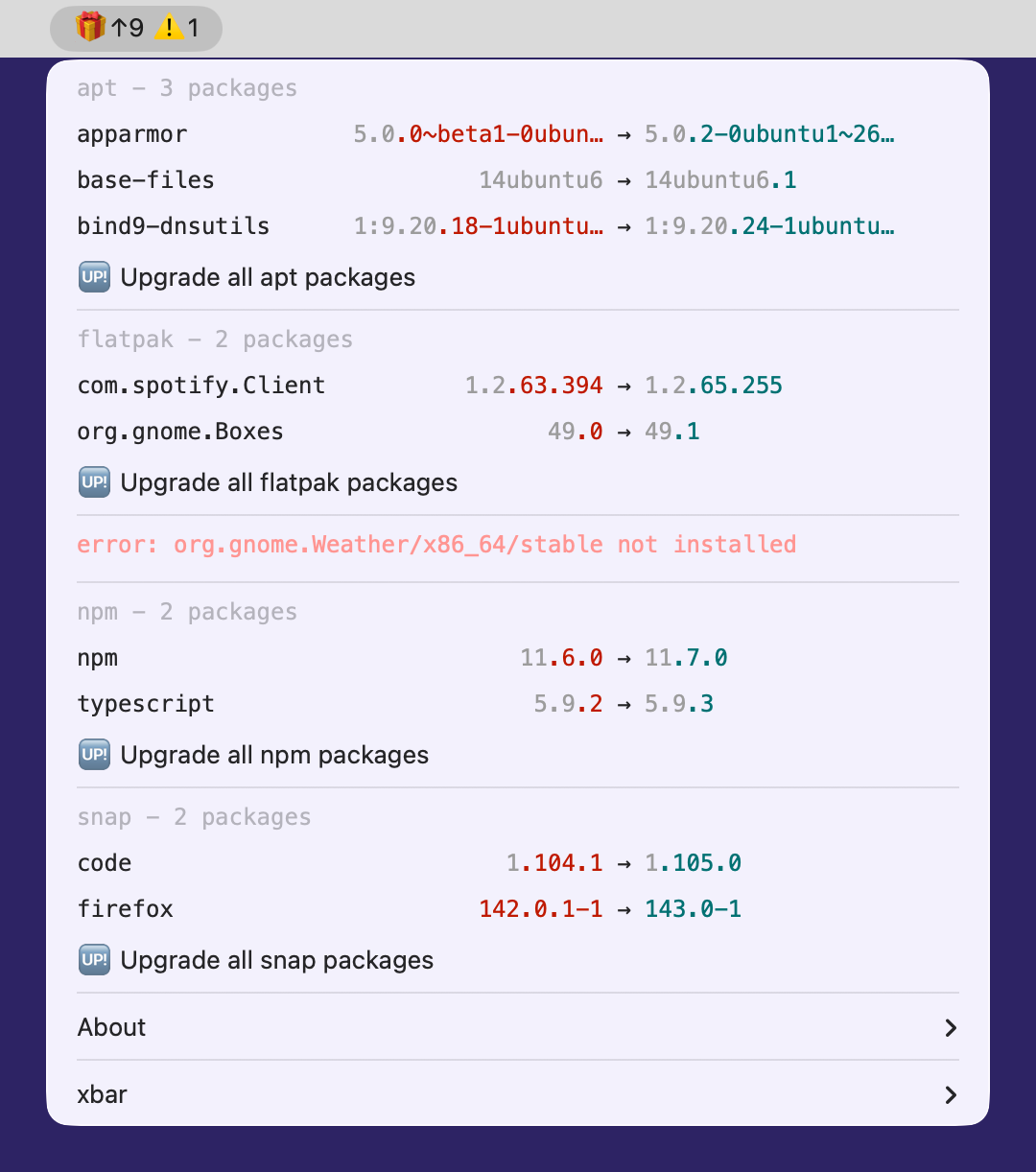
VAR_GROUP_BY_MANAGER = FalseVAR_ALIGN_COLUMNS = True
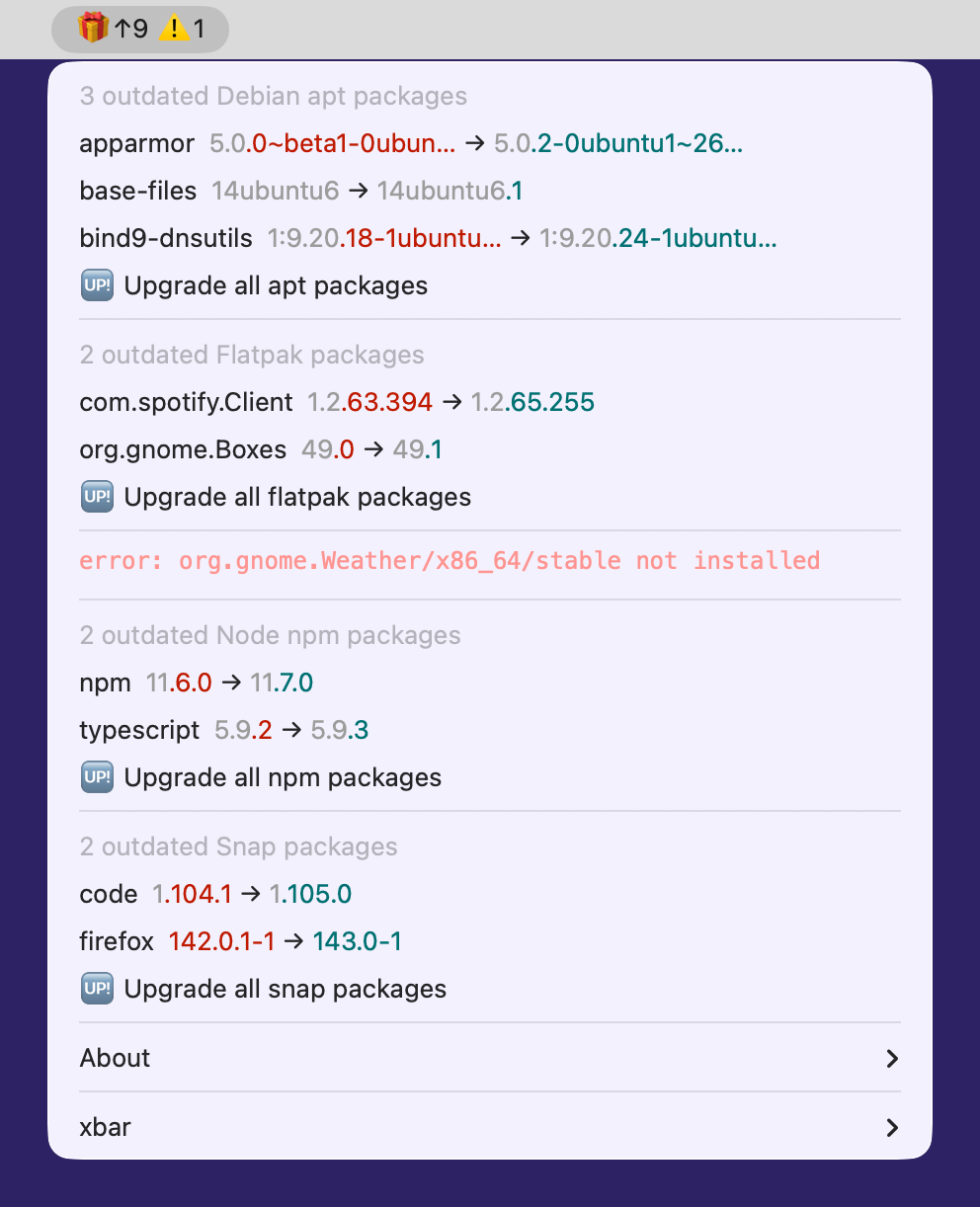
VAR_GROUP_BY_MANAGER = FalseVAR_ALIGN_COLUMNS = False
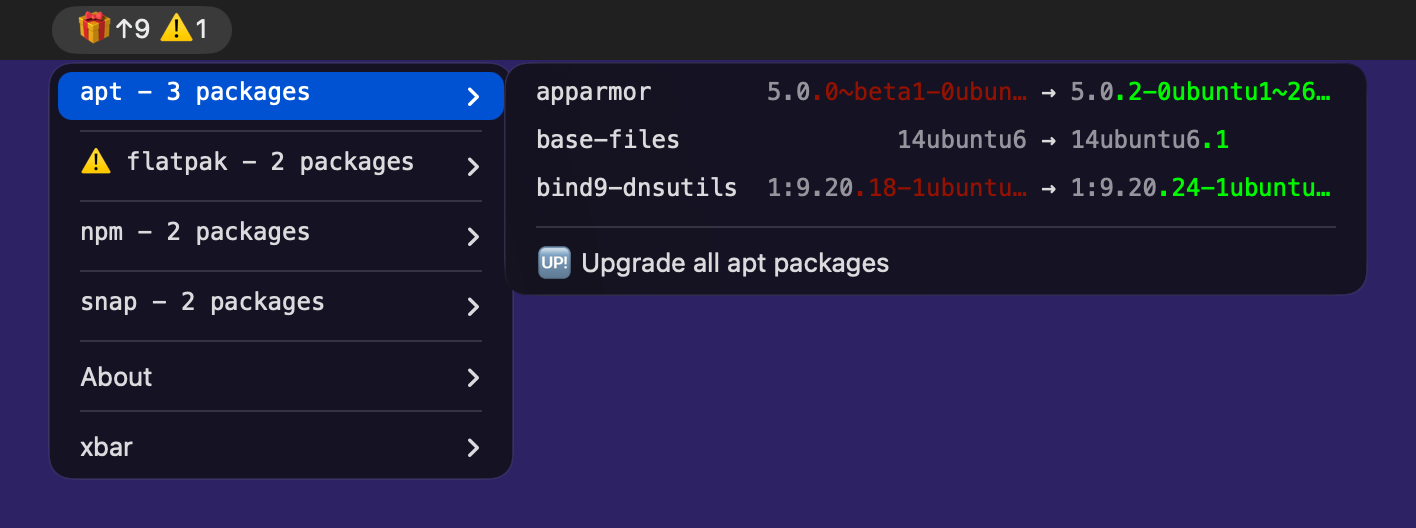
VAR_GROUP_BY_MANAGER = TrueVAR_ALIGN_COLUMNS = True(default)

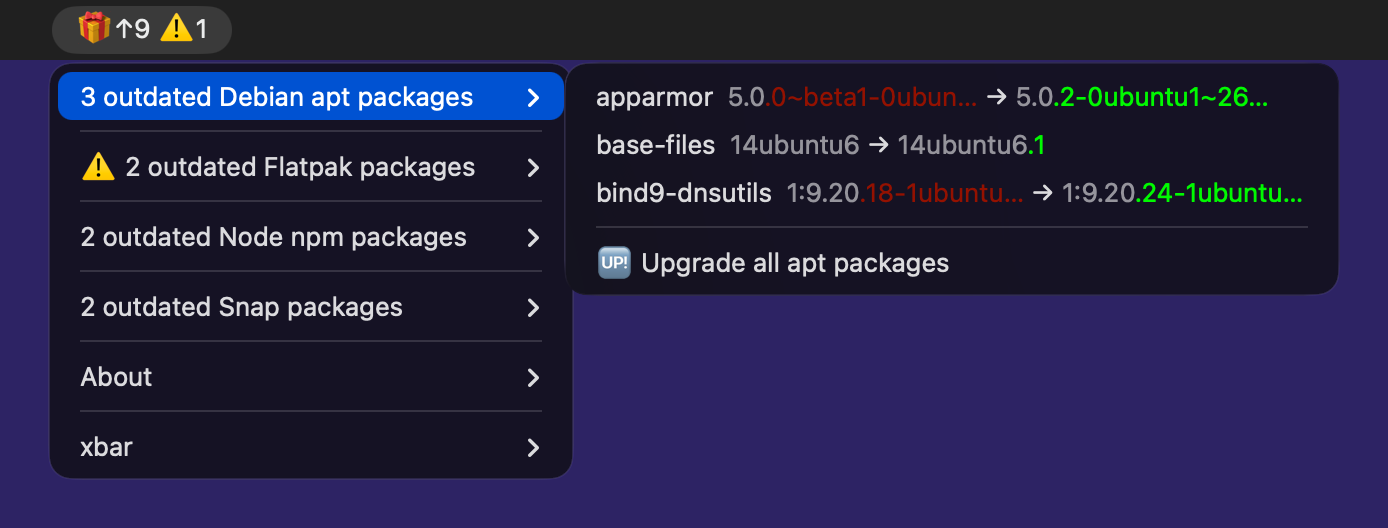
VAR_GROUP_BY_MANAGER = TrueVAR_ALIGN_COLUMNS = False
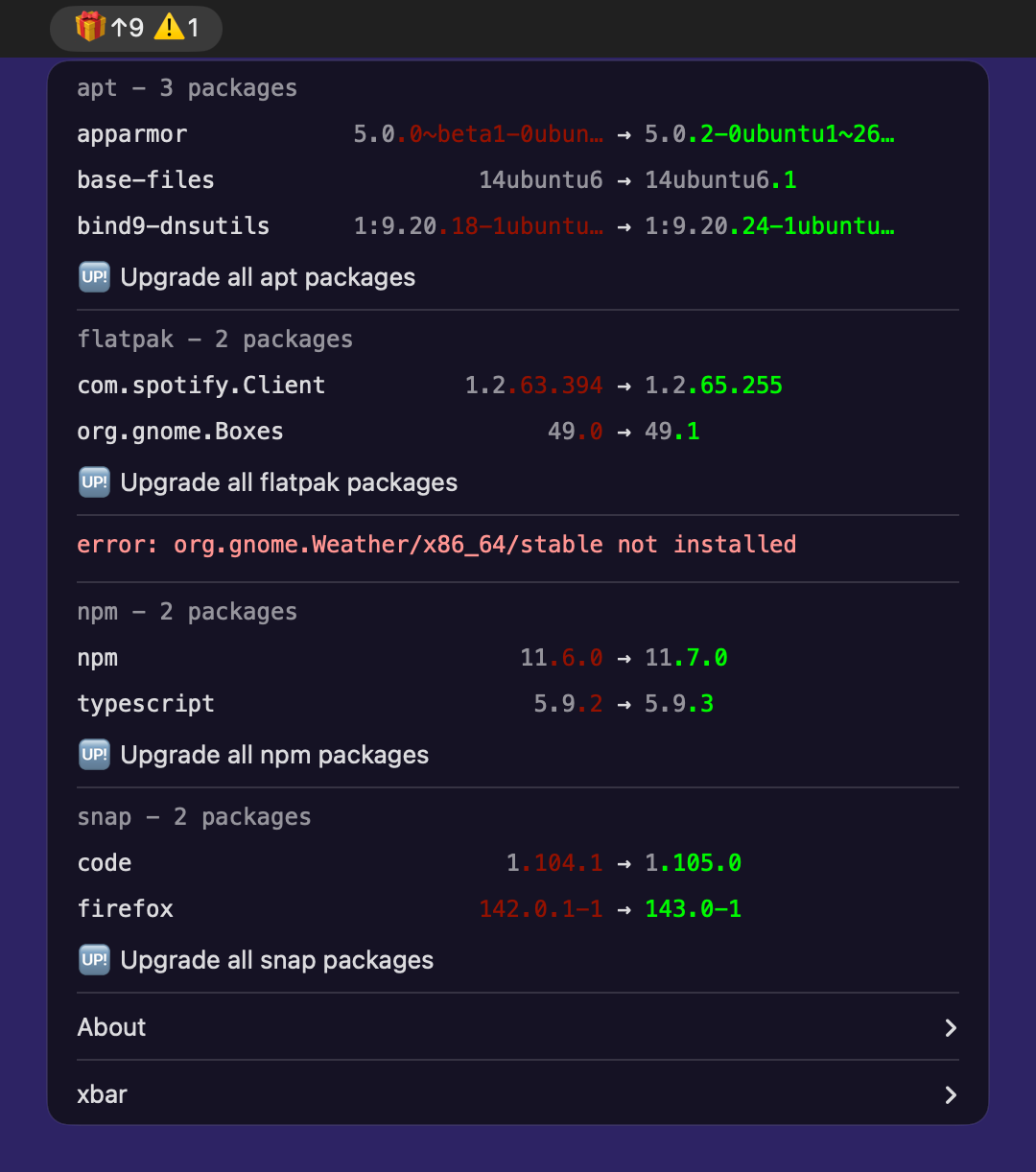
VAR_GROUP_BY_MANAGER = FalseVAR_ALIGN_COLUMNS = True
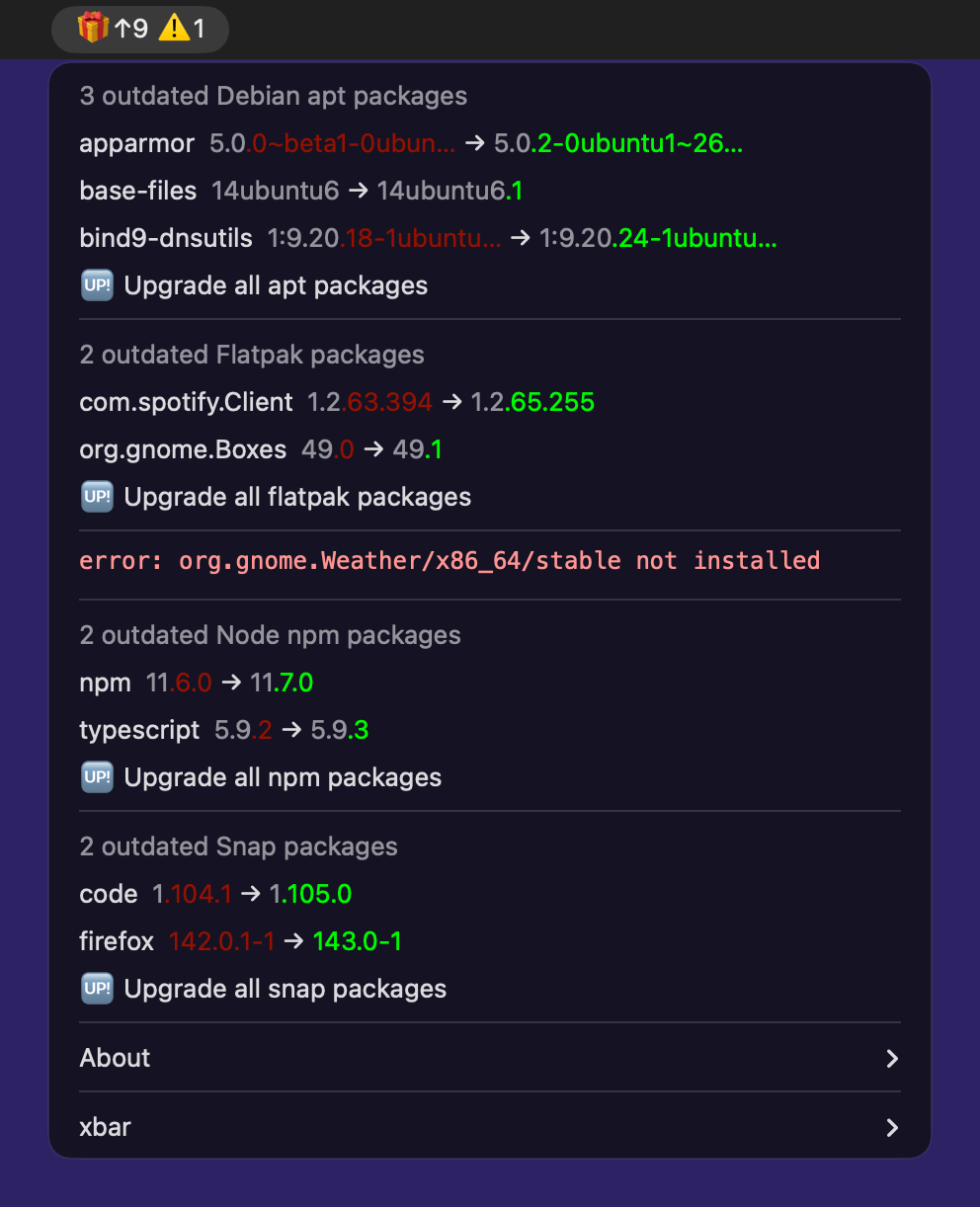
VAR_GROUP_BY_MANAGER = FalseVAR_ALIGN_COLUMNS = False
Location
Once mpm is installed on your system, the plugin ships with it and its path is printed by the dedicated --bar-plugin-path option:
$ mpm --bar-plugin-path
~/Library/Python/3.11/lib/python/site-packages/meta_package_manager/bar_plugin.py
Symlinking that path into the host’s plugin folder is what keeps the menu on the latest plugin: every mpm upgrade is then picked up with no further action. That is how my dotfiles install it.
Where that folder is, and how it is set, differs between the two hosts:
SwiftBar has no default plugin folder: it asks for one on first launch, then imports every file it finds there, traversing nested folders and symlinks.
~/.swiftbar is the conventional choice:
$ mkdir -p ~/.swiftbar
$ ln -sf "$(mpm --bar-plugin-path)" ~/.swiftbar/meta_package_manager.7h.py
SwiftBar’s folder picker hides dotted folders, so point the app at it either by typing the path into that picker, or by writing the preference by hand. A running SwiftBar rewrites its preferences from memory when it quits, so that write only sticks while the app is stopped:
$ killall SwiftBar
$ defaults write com.ameba.SwiftBar PluginDirectory -string "${HOME}/.swiftbar"
$ open -a SwiftBar
Warning
Do not use ~/Library/Application Support/SwiftBar/Plugins, tempting as the name is. That is SwiftBar’s own data directory, in which it keeps a state and a cache folder per plugin (swiftbar/SwiftBar#522). Pointing the plugin folder at it makes SwiftBar scan the tree it writes into, and import its own output as plugins.
Important
~/.swiftbar needs SwiftBar 2.1.1 or newer. 2.1.0 introduced packaged .swiftbar plugin bundles and recognized them by the folder name, so it took the whole .swiftbar root for one bundle and skipped every file inside it as not a regular file (swiftbar/SwiftBar#508).
Xbar’s plugin folder is fixed at ~/Library/Application Support/xbar/plugins:
$ ln -sf "$(mpm --bar-plugin-path)" "${HOME}/Library/Application Support/xbar/plugins/meta_package_manager.7h.py"
A copy of the latest stable release is also published on the Xbar website and in its plugin repository, so it can be installed from Xbar’s own plugin browser. That copy is only refreshed on mpm releases, so it lags behind the symlink above.
Which mpm the plugin runs
The plugin prefers the mpm it is part of. It ships inside the package, so it walks back up its own folders to the installation that carries it, and runs that one: the version it was released with, whose dependencies are already resolved. The symlink above is followed to get there, or the walk would scan the host’s plugin folder and find nothing.
Failing that, it falls back to an mpm on the PATH, then to the module under the interpreter running the plugin, and under python3. Every candidate is run before it is ranked, so an unusable one is skipped instead of being picked.
The menu answers that in place, in its About row. The plugin and the mpm it resolved are installed separately, so a bug report needs both: a plugin file copied into the host’s folder stays at the version it was copied at while mpm moves under it.
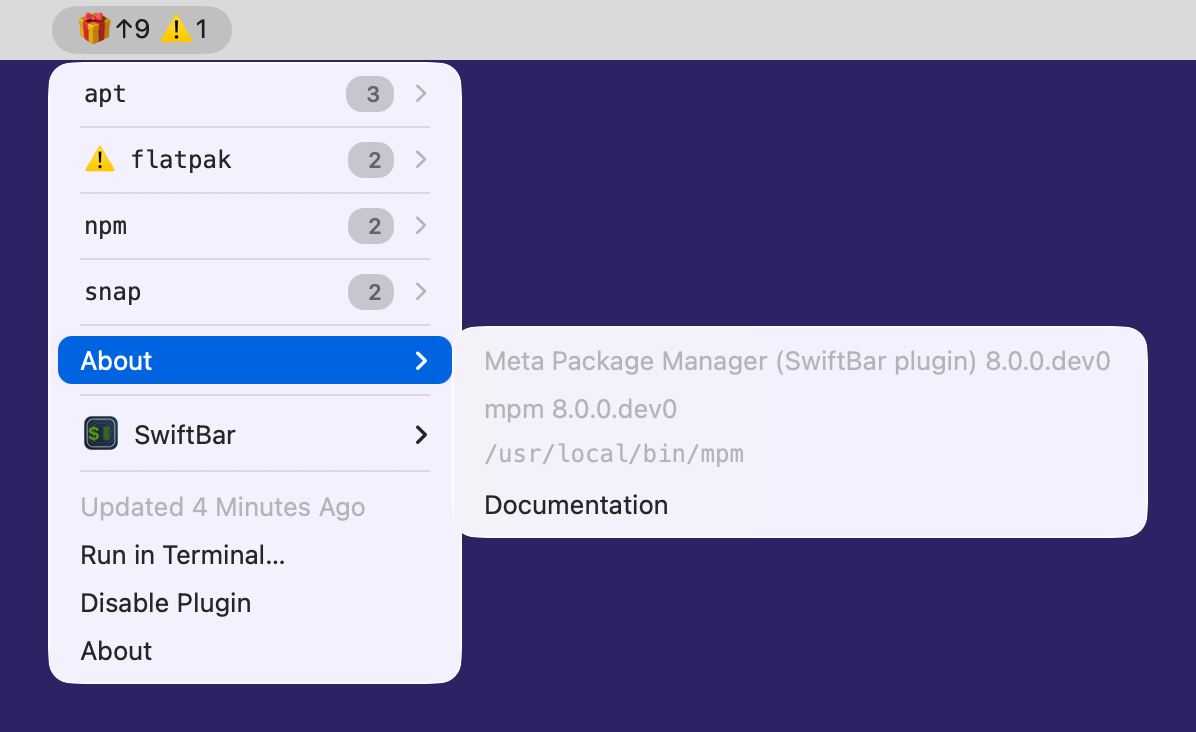
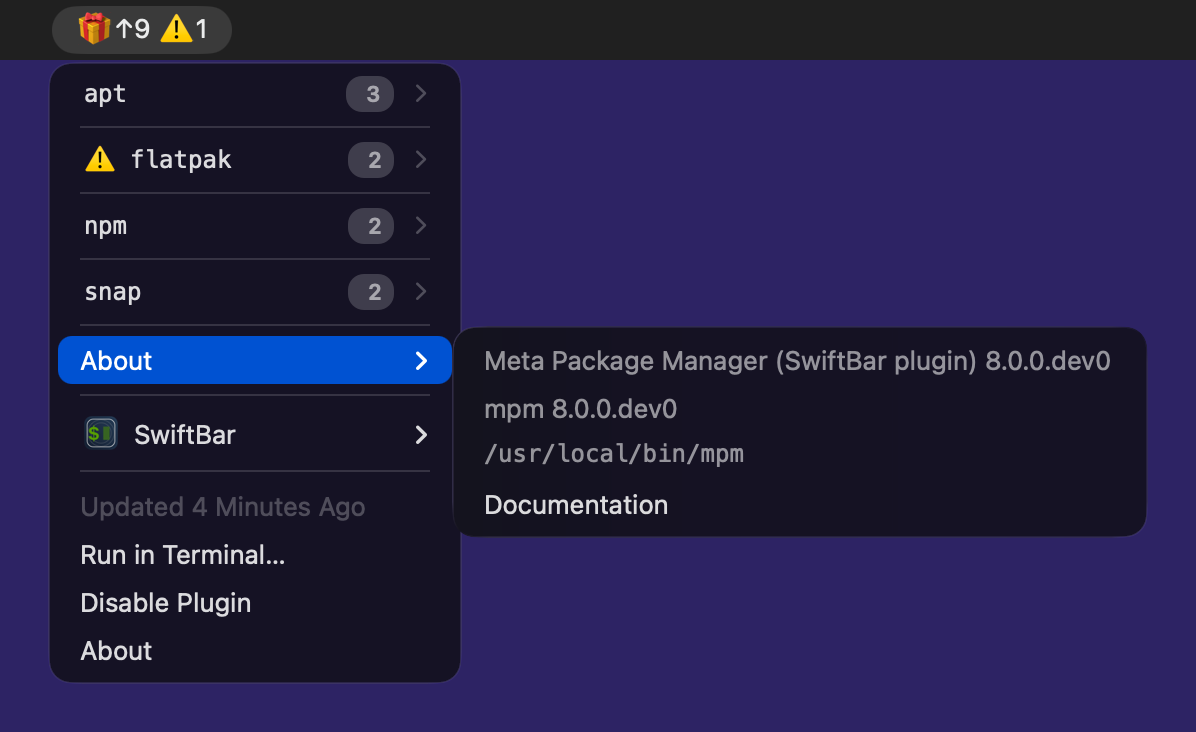
When no candidate answers, or the one that answers is older than the version the plugin requires, the menu carries a bootstrap pair in place of the package list: an Install mpm with uv entry running uv tool install --upgrade meta-package-manager, and an Open mpm installation instructions entry opening Installation for the systems uv does not answer for.
To see every candidate it considered, and not the winner alone, ask the plugin. It prints each one it found, in the order it ranked them, with the version it answered and the error it failed with:
$ python3 "$(mpm --bar-plugin-path)" --search-mpm
Python >= 3.9 required
The plugin requires Python 3.9 or newer, and runs on the interpreter macOS provides, without any extra dependency.
macOS ships no Python of its own: /usr/bin/python3 is a stub that runs the interpreter bundled with the Command Line Tools, and offers to install them when they are missing:
$ python3 --version
xcode-select: note: no developer tools were found at '/Applications/Xcode.app', requesting install. Choose an option in the dialog to download the command line developer tools.
The version that answers therefore tracks the Command Line Tools, not the macOS release:
macOS |
Released |
Security updates until[1] |
Command Line Tools |
|
|---|---|---|---|---|
26.x - Tahoe |
2025-09-15 |
current |
26 |
3.9.6 |
15.x - Sequoia |
2024-09-16 |
current |
16 |
3.9.6 |
14.x - Sonoma |
2023-09-26 |
current |
15 |
3.9.6 |
13.x - Ventura |
2022-10-24 |
2025-09-15 |
14 |
3.9.6 |
12.x - Monterey |
2021-10-25 |
2024-09-16 |
13 |
3.8.9 |
Every macOS still receiving security updates answers 3.9.6. Monterey is the only release below the requirement, and it stopped receiving updates in 2024.
Development workflow
Active development of the plugin is happening here, as a side-project of mpm itself.
Releases of the plugin are synchronized with the package. Both share the exact same version to simplify management. This explains why the plugin can appear to jump ahead a couple of major/minor versions while providing tiny or no changes at all.
If the plugin has been changed between releases, a copy of the plugin is pushed under the name meta_package_manager.7h.py, to the official Xbar plugin repository.
Release process
Fork the official Xbar plugin repository.
Fetch a local copy of the fork:
$ git clone https://github.com/kdeldycke/xbar-plugins
$ cd xbar-plugins
Create a new branch and switch to it:
$ git branch "meta-package-manager-v8.0.2"
$ git checkout "meta-package-manager-v8.0.2"
Replace existing copy of the plugin with the latest tagged version:
$ wget https://raw.githubusercontent.com/kdeldycke/meta-package-manager/v8.0.2/meta_package_manager/bar_plugin.py
$ mv ./bar_plugin.py ./Dev/meta_package_manager.7h.py
$ chmod 755 ./Dev/meta_package_manager.7h.py
Commit the new plugin:
$ git add ./Dev/meta_package_manager.7h.py
$ git commit -m "Upgrade to Meta Package Manager plugin v8.0.2"
Push new branch:
$ git push --set-upstream origin "meta-package-manager-v8.0.2"
Create a pull-request in the original repository.
Changelog
8.1.0.dev0(unreleased)Fix the preview screenshot Xbar’s website shows for the plugin, which named a renamed file.
8.0.2(2026-09-28)Keep the
syncprogress trail out of the host app’s log, by turning it off on the refresh cycle.
8.0.0(2026-09-20)Breaking: Rename the grouped-layout setting to
VAR_GROUP_BY_MANAGERin the plugin andgroup-by-managerin the extension, fromVAR_SUBMENU_LAYOUTandsubmenu-layout, and turn it on by default. A configuration still using the old name gets the default.Breaking: Rename the
VAR_TABLE_RENDERINGvariable toVAR_ALIGN_COLUMNS, matching the GNOME Shell extension’s own setting.Pass
--shell-envtompm8.0.0and newer, so the menu lists the managers installed under the home directory and pnpm’s global packages.Name the package of each upgrade action with a pURL of its manager, so
mpmno longer looks it up in the installed packages first.Offer
uv tool install --upgrade meta-package-managerwhen nompmis found, beside an entry opening the installation page for the systemsuvdoes not answer for.Split a version diff at the same point in both frontends, and highlight only the new token when one version is the other plus a whole token:
14ubuntu6→14ubuntu6.1highlights.1alone.Add
VAR_ALWAYS_VISIBLE: set it tofalseto hide the menu bar icon while no package is outdated and no manager reported an error.Add
VAR_MPM_OPTIONS, extra options spliced into everympmcall before the subcommand, and an About row naming the plugin’s version, thempmrelease it resolved and the command that answered.Cap how wide a version renders in a menu line, tunable with
VAR_MAX_VERSION_WIDTH, so an over-long one no longer blanks the target version of its own row.Fold each manager section into an inline accordion carrying a native badge for its outdated count on SwiftBar
2.1.0and above, in the grouped layout. Xbar keeps its sub-menus.Align the version arrows across every manager in the table rendering, so they line up down the whole menu instead of only within a section.
Quote the default values of the plugin variables and declare the font variables as
swiftbar.var, so SwiftBar2.1.0and above exposes all of them in its settings UI.Mark a package check as failed on the exit code of
mpmonly, so a--verbosityraised in the options no longer replaces the package list with log lines.Fix the plugin rendering a version error instead of its menu on every released SwiftBar: the minimum requirement was pinned on an unreleased
2.1.2test build.Follow the symlink both hosts are installed through when looking for the
mpmthe plugin ships with, probe a virtualenv interpreter as itself, and stop a menu action from importing a source checkout it is spawned from.Stop the plugin’s virtualenv search at the user’s home folder, as its comment always claimed.
Separate a package name from its version diff by two spaces, and render an error line at the same size as every other monospace row.
Publish the documentation at
https://mpm.run, hosted on Cloudflare Pages. Every link in the readme, the benchmark, the packaging specs and both frontends points at the new origin, and the formerkdeldycke.github.ioURLs redirect to it.Give each frontend page a release history of its own, built from the changelog entries scoped to it, and make each page self-contained: what a click runs, where its settings stop and
mpm’s configuration starts, the version-diff colors.Add screenshots of SwiftBar’s About submenu and preferences pane to the plugin page, captured at 2x on a HiDPI virtual display, and name SwiftBar ahead of Xbar wherever the pair appears.
Document the plugin folder of each host, SwiftBar having no default one, and where the macOS
python3comes from.
7.6.1(2026-08-11)Fix the
uvlaunch candidate silently re-locking whatever project the plugin’s working directory landed in: it now runs frozen, pinned to the folder its lockfile was found in.
7.6.0(2026-08-10)Menu actions run
mpmitself instead of the manager’s native upgrade command, so manager selection, sudo policy, overrides and the cooldown all apply. A manager that cannot enforce an activecooldownis now skipped with a warning.
7.4.1(2026-07-28)Recolor the version-diff suffixes to match the SwiftBar menu appearance (from
OS_APPEARANCE): the adaptive system red and green lose contrast on recent macOS’s translucent menus, so a light menu darkens both and a dark menu brightens the green.
7.4.0(2026-07-25)Fix a crash when probing an
mpminvocation whose binary does not exist: the failed probe now reports the error instead of raisingUnboundLocalError.Version-diff colors now reach SwiftBar and Xbar: the highlighting introduced in
7.3.0never rendered in the menu bar, because the plugin capturesmpm outdated --plugin-outputthrough a pipe, where the automatic color detection stripped every ANSI code. Plugin output now keeps its colors on any output stream, unless colorization is explicitly disabled (--color=never,NO_COLOR). ANSI codes captured inside relayed error messages are stripped instead, since error lines are markedansi=false. The unchanged-version prefix also moves from bright-black to a theme-neutral xterm-256 mid-gray on menu lines only: SwiftBar maps bright-black to a fixed dark gray, near-invisible on dark-mode menus, while thempm outdatedtable keeps the terminal-themed bright-black.An outdated package whose manager provides no single-package upgrade command no longer crashes the rendering: its menu line simply carries no upgrade action.
7.3.0(2026-07-17)The
<xbar.version>header tracks the package version again: it fell out of the version-bump configuration during thebump-my-versionmigration and was stuck at7.0.0.dev0.Version differences are now highlighted in the outdated-package menu lines, with the same coloring as
mpm outdated: common prefix gray, installed suffix red, latest suffix green. Package lines carryansi=trueso both SwiftBar and Xbar render the colors.
7.1.0(2026-07-07)Cap each
mpmcall the plugin makes at 60 seconds via--timeout, so a wedged package manager fails the menubar refresh in about a minute instead of stalling it for several.
6.5.0(2026-05-25)Swap default and alternate actions on package-upgrade entries: a regular click now opens a visible terminal, and holding
Optionruns the upgrade silently. Reverses the3.3.0behavior.
5.21.0(2025-05-29)Bump minimal Python version to 3.9 to aligns it with macOS default.
Check minimal version of SwiftBar is 2.1.2.
Reduce the font size of error messages from 12 to 10 points.
5.17.0(2024-07-08)Identify
uv-based virtual envs to runmpmexecutable.
5.16.0(2024-05-24)Dynamiccaly search for Python, virtual envs and
mpmexecutable instead of relying on hard-codedPATHenvironment variable.Replace
--check-mpmparameter by--search-mpmwith complete results reporting.
5.15.0(2024-02-25)Keep original indention of Python traceback.
5.14.1(2024-01-16)Always call
mpm --versionwithout color.Increase robustness of
mpmversion parsing, whether its colored or not.
5.10.0(2022-12-19)Disable
--bar-plugin-pathoption if CLI not installed from sources.Rename and move
meta_package_manager.7h.pybar plugin script to eliminate dynamic module loading.
5.6.0(2022-09-26)Check for minimal Python version.
Add a
--check-mpmoption to test the mpm binary search phase without running a full outdated package listing.
5.5.1(2022-07-11)Silence all errors but critical ones on
outdatedinvocation to prevent a failing manager to block rendering of the plugin output.
5.3.0(2022-06-25)Fix rendering of package managers without outdated packages. Closes #631.
5.0.0(2022-04-25)Add new
DEFAULT_FONTandMONOSPACE_FONTvariable.Rename all reference of
xbarto the genericbar-pluginlabel.Improve search for Python and
mpmexecutable.Restructure the plugin ↔ mpm relationship to delegate all plugin layout and rendering logic to
mpm.Prevent leaks when modifying environment variables.
4.13.1(2022-04-17)Fix location of
mpmbinary on Apple Silicon machines.
4.13.0(2022-04-16)Add support for SwiftBar.
Add new
TABLE_RENDERINGoption to plugin.Improve alignment of labels in monospaced font rendering.
Tweak icons.
4.11.0(2022-04-03)Fix log verbosity of the xbar plugin.
4.4.0(2021-09-27)Let xbar plugin check minimal mpm version requirement.
4.2.0(2021-09-21)Fix xbar plugin output format.
Rename
VAR_SUBMENU_lAYOUTenvironment variable toVAR_SUBMENU_LAYOUT.
4.1.0(2021-05-01)Add new
Submenu layoutboolean option in xbar plugin UI.Rename
XBAR_MPM_SUBMENUenvironment variable toVAR_SUBMENU_lAYOUT.
4.0.0(2021-04-27)Upgrade BitBar plugin to new xbar format.
Drop xbar plugin requirement on Python 2.x and bump it up to Python 3.7.3.
Update references of BitBar to xbar.
Rename
BITBAR_MPM_SUBMENUenvironment variable toXBAR_MPM_SUBMENU.
3.4.0(2020-08-18)Force refresh of local package databases before fetching outdated ones.
3.3.0(2020-06-23)Each entry in the drop-down menu can now be called into a terminal to track the execution by holding the
Optionkey.Fix rendering of upgrade CLI in Bitbar dialect.
2.3.0(2017-01-15)Make it easier to change the font, size and color of text in BitBar plugin.
Move error icon in BitBar plugin to the front of manager name.
Move BitBar plugin documentation to dedicated page.
2.2.0(2016-12-25)Add optional submenu rendering for BitBar plugin. Closes #23.
Move
Upgrade allmenu entry to the bottom of each section in BitBar plugin.
2.1.1(2016-12-17)Do not render emoji in BitBar plugin menu entries.
Do not trim error messages rendered in BitBar plugin.
2.1.0(2016-12-14)Adjust rendering of BitBar plugin errors.
Move BitBar plugin within the Python module.
Force
LANGenvironment variable toen_US.UTF-8.Share same code path for CLI execution between
mpmand BitBar plugin.
2.0.0(2016-12-04)Rewrite BitBar plugin based on
mpm. Closes #13.Render errors with a monospaced font in BitBar plugin.
1.12.0(2016-12-03)Allow user to choose rendering of
upgrade_clifield to either one-liner, fragments or BitBar format. Closes #14.
1.8.0(2016-08-22)Copy all BitBar plugin code to Python module.